


YOUR ADVANTAGE AS A CAPTRADER CUSTOMER
With AgenaTrader, an excellent software that is available exclusively from CapTrader at no additional cost, you can trade the market like a professional - without any programming knowledge. The Andromeda version contains unique and modern functions that largely automate discretionary trading and are only available in this combination in AgenaTrader.
Simply fill out the order form on this page and you will promptly receive the license key via e-mail. Then download the latest version of AgenaTrader (PC) here.

AgenaTrader Andromeda supports traders who want to trade on a discretionary basis
Risk & Money Management
Time units can be easily changed to any time you want to see
Signal & Fundamental Scanner
Drag & drop signal/strategy editor
With the multi-time unit view in charting you only need to load one symbol or instrument list (e.g. AAPL or Nasdaq100)
The powerful (C#) AgenaScript opens up unimagined possibilities for full automation
The Andromeda version has a huge selection of features
You will automatically be presented with your desired time units in a chart group

Ordering the AgenaTrader License
Please order the AgenaTrader license for your capitalized CapTrader account using the following form.
Notice: AgenaTrader works exclusively with real-time quotes. With the free delayed market data, no chart will be displayed to you in AgenaTrader. Therefore please subscribe Real-time rates at CapTrader.
AGENATRADER SOFTWARE ORDER
Automate your trade
In just a few steps, you can establish a connection between the exclusive AgenaTrader trading software and our trading platform, the Trader Workstation (TWS). How to connect the two platforms and how to activate real-time quotes/market data in AgenaTrader is revealed in the following two short videos.

The AgenaTrader Trading Suite
It supports trading in the most important asset classes and utilizes the full potential of CapTrader. The absolute strength lies in the AgenaTrader++ semi-automation. AgenaTrader offers a solution for every type of trader.
Advanced training for AgenaTrader software at CapTrader
As a long-standing partner of AgenaTrader, we offer regular webinars and training courses in cooperation with the AgenaTrader team and external speakers. You can therefore take part in our live events (to the overview).
In addition, please also feel free to use our media library, where you can access many videos about AgenaTrader and practical trading with the software.

AgenaTrader ++ offers everything what the professional trader needs
The Andromeda version contains the modern functions that other platforms lack.
These are high-end functions that largely automate discretionary trading.
Drag & Drop Signal Builder
Power scanner with the multi-signal columns
Select and click on Strategy Builder
Risk and money management pad
Strategy trading with one click
AgenaTrader-Notifier Mobile App
TradingJournal
The guiding principle of AgenaTrader:
- AgenaTrader++ finds the signals and suggests them in the PowerScanner.
- You as a trader decide on the technical correctness of the signals.
- AgenaTrader++ takes care of risk and trade management.
Charting in the AgenaTrader
On this page, you will find a detailed overview of the charting in the AgenaTrader trading software. This overview does not claim to be complete, as the range of functions of the AgenaTrader software is constantly being expanded. For the latest updates and information, please use the manufacturer's page AgenaTrader.
Advanced charting
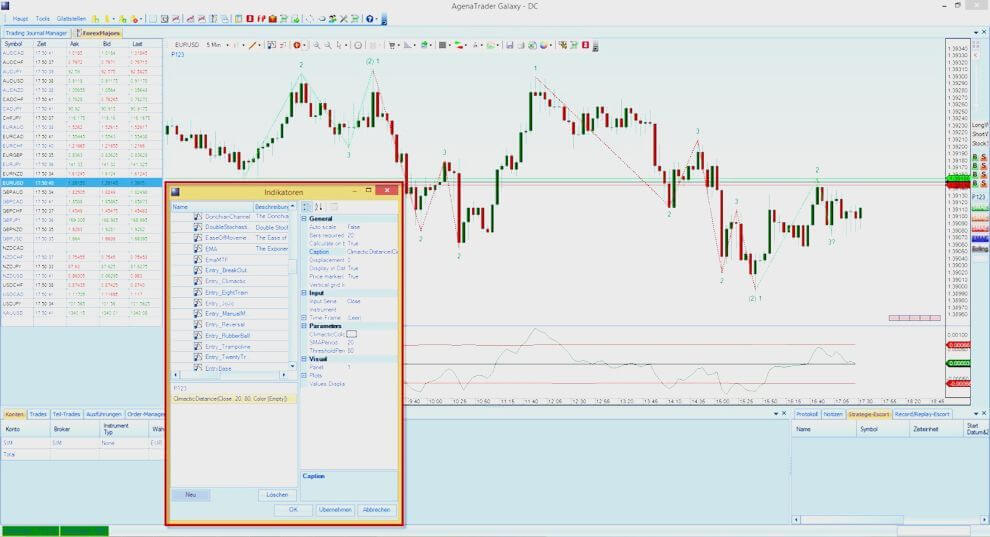
- Use more than 100 different indicators as well as their self-programmed signal generators
- Use all the drawing objects that Trading knows about
- Take advantage of various price representations (Renko, Kagi, P&F, Equity Volume...)
- Integrate indicators from higher-level time units
- Trade via a convenient chart module
- Use the ActionBar to activate or deactivate your standard indicators, instrument lists, time units and favorite setups with a single mouse click
- Display chart formations such as SKS, flags, pennants and many more
Chart groups
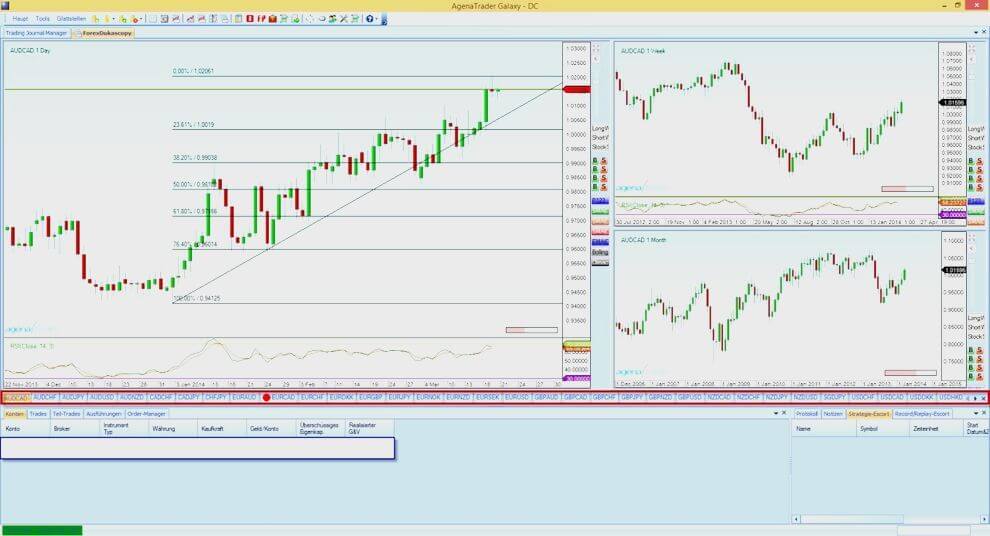
- Compare up to four linked charts in different time units at a glance
- Connect a scanner to a chartlist group
- Open more than 500 real-time charts simultaneously with TabChart groups
- Save chart and chart group templates to quickly recall their chart settings at any time
- Benefit from the enormously fast chart loading times of the AgenaTrader
Scanner
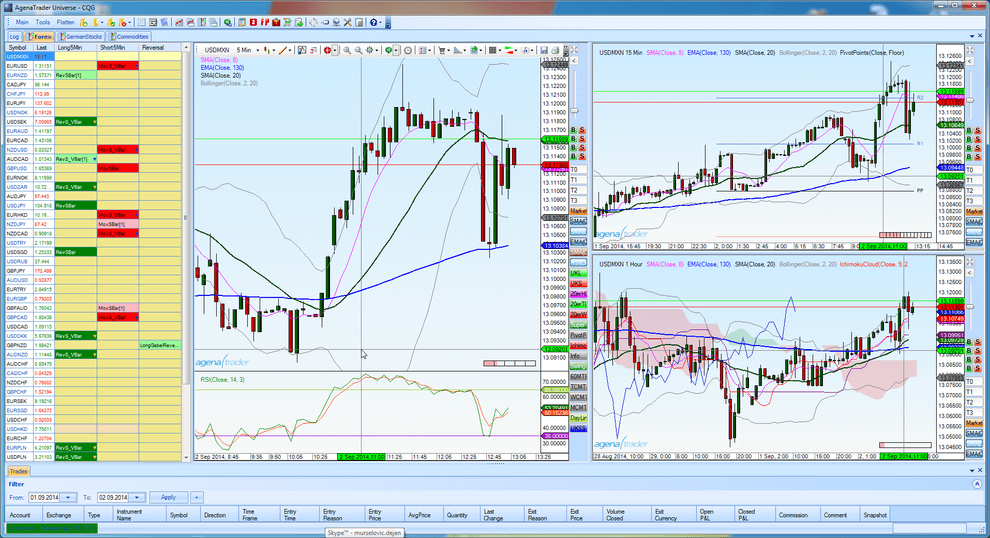
- Search hundreds of instruments in real time for your signals
- Use all indicators and self-programmed signals/conditions for their scanning
- Program your signals via C#-AgenaScript or via a mouse-click condition escort
- Have their signals searched in different time units
- Combine these entry signals with stops and targets to complete strategies via the SetupEscort, by mouse-click
- Arm these strategies with a mouse click as soon as the corresponding signal appears in the scanner
- Freely according to the motto: The system suggests, the user and the market decide, AgenaTrader manages your trades
Condition Escort
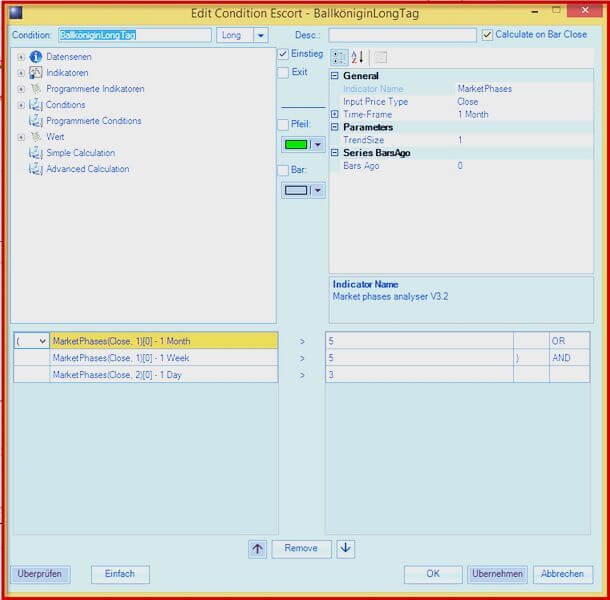
- Program yourself signals simply by mouse click
- Without programming knowledge
- Compare a wide range of indicators with each other, or with static values
- Mix different time units per condition
- Apply AND/OR/XOR relations and parentheses in a way that is usually only possible with programming code.
- Assemble complete strategies from conditions with the click of a mouse in the Centaurus version
Simulation
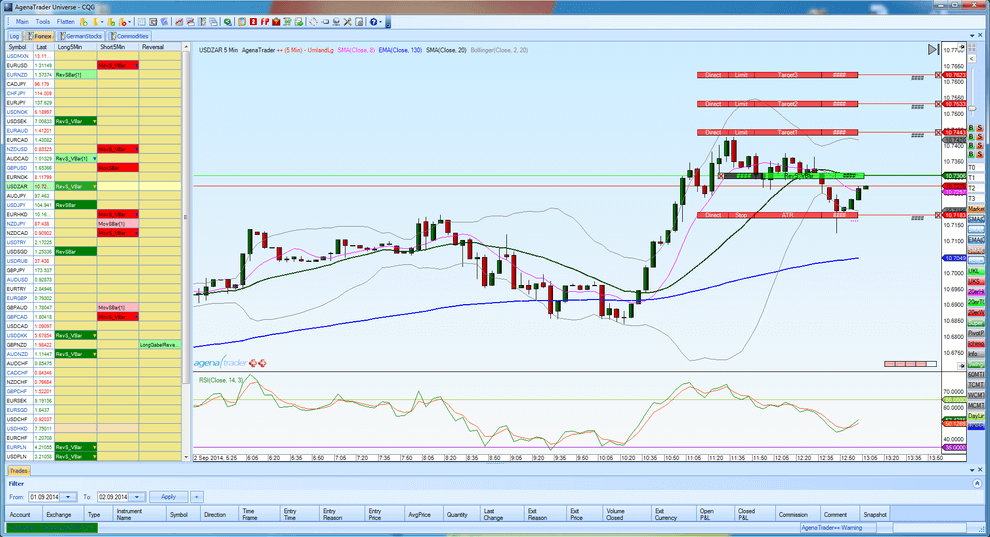
- Record entire trading days tick by tick
- Download tick data for several trading days from your data provider
- Practice and train with these data completely risk-free, in which you can play them even on weekends
- Trade into an integrated simulation account to learn the markets
Order options
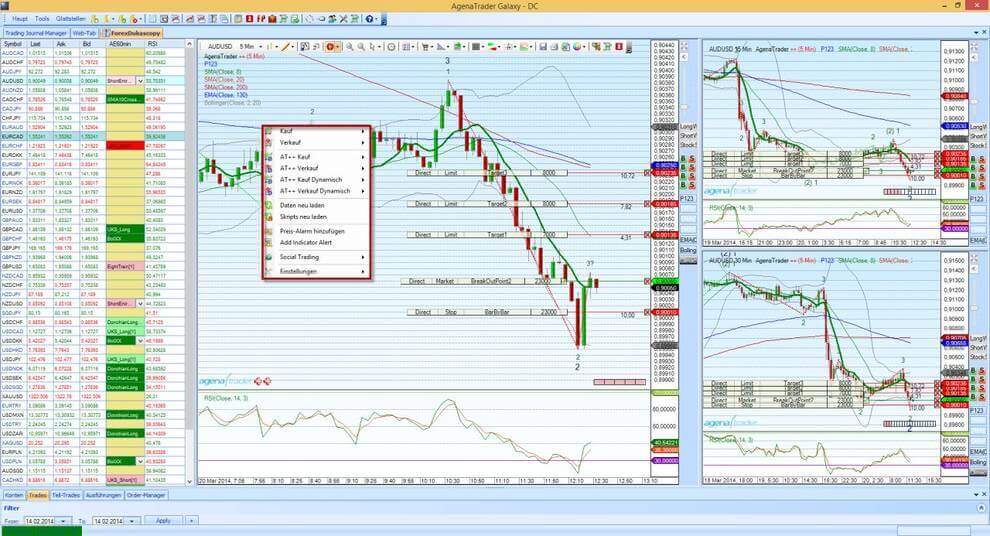
Use a wide range of convenient options to enter orders:
- ChartTradingPlace orders in the chart with a mouse click.
- Just use the defaultOrderPad
- Lay over the OrderEscort complete setups in the market
- Trade via the ForexPad
- Order by keyboard or by mouse click from the Level3-InsideMarketBox
- Take advantage of a dynamic DOM
Experience new types of orders: ScaleIn Orders, Dynamic Orders, Soft-Stop Orders.
Automated trading
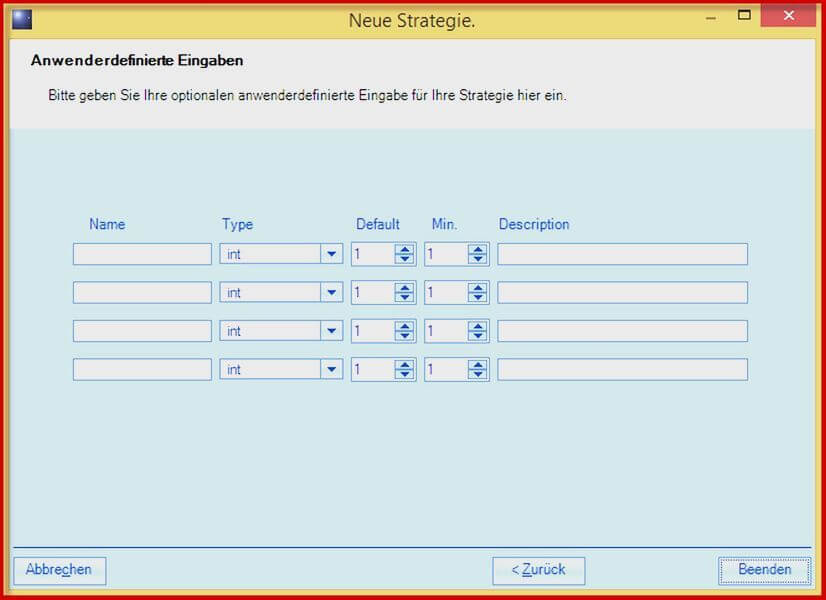
- Strategies
- Indicators
- Entry, stop and target conditions
Use the integrated C#-AgenaScript interface and build highly professional signals from existing indicators and self-programmed signal generators with the click of a mouse. Import indicators and strategies from third-party systems like NinjaTrader (if programmed according to NinjaScript API documentation).
Trading Center
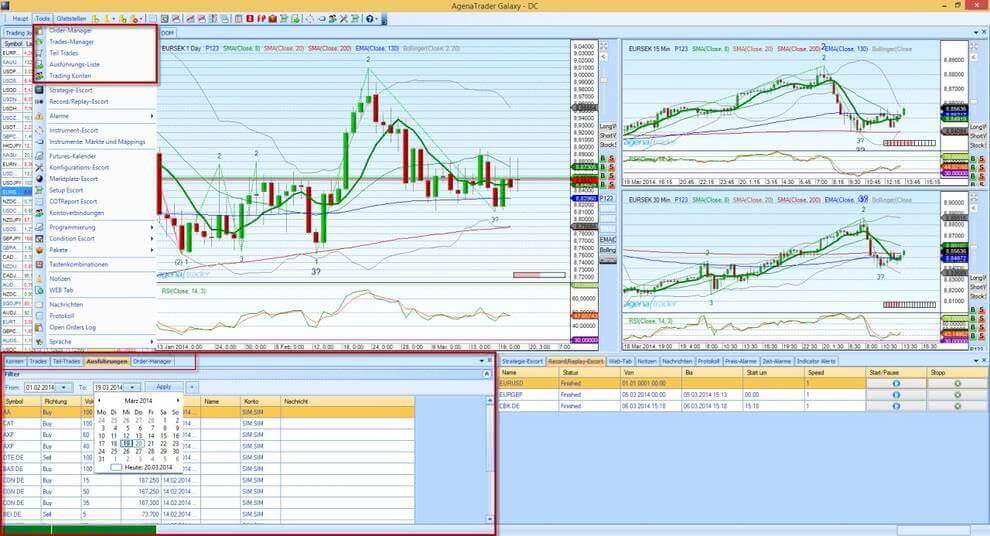
- Accounts
- Positions
- Trades
- Orders
- and executions
Control everything in the different trading tabs with just a few glances.
Info Center
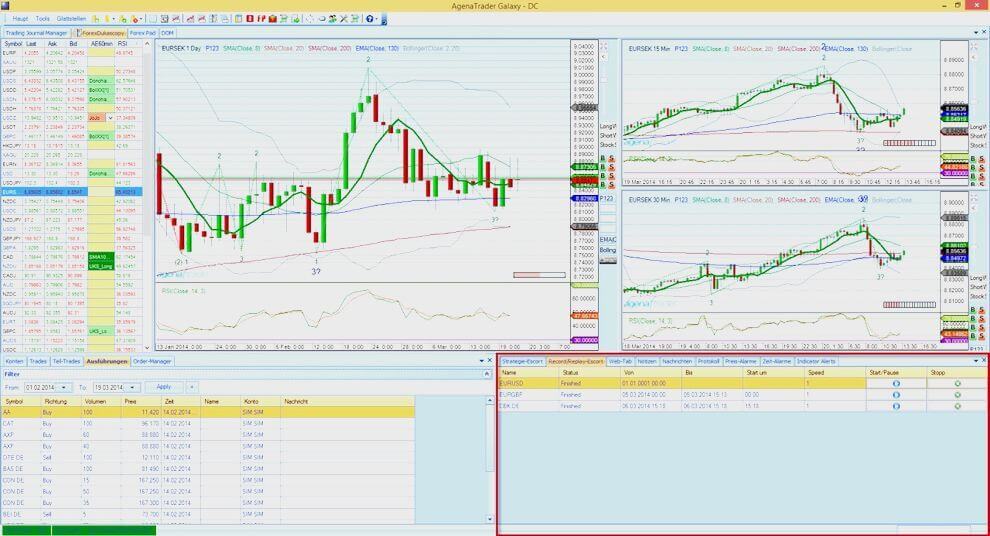
- Learn about system and application messages
- Manage price and time alerts
- Control the current strategies
- Load and manage your replay data
- Create your trading notes in a calendar
Web tab
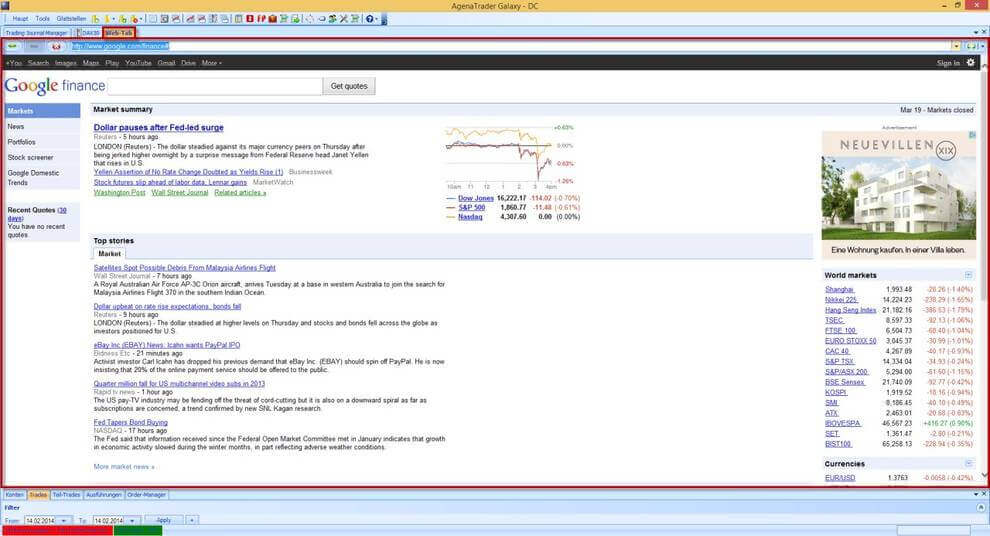
- Avoid media breaks – never overlap your trading platform with a web browser again
- Let the web browser become part of your trading platform
- Integrate your favorite web pages directly into the trading platform
- For example, start Facebook trading chats directly from your trading environment and keep a better overview of the markets

AgenaTrader Basic features
You are a trader who trades on a discretionary or fully automated basis and would like to entrust your trading to a professional platform that can do more than you were used to.
The basic functions of the AgenaTrader offer you exactly what you need.
Extended charting: multi-timeframe chart groups, ActionBar
Chart trading: market, stop, limit, stop limit at the click of a mouse
Order connections: OCO, If-Done, OROOrder templates: the forerunner of automated strategies
Order templates: the forerunner of automated strategies
DOM/QuickTrader: A professional playground for scalpers
Volume analyses: With OrderStream chart and volume package
Strategy and Indicator Programming: About C# & MS VisualStudio
35 drawing objects and more than 150 indicators
Frequently asked questions about the AgenaTrader
Can I use third-party data?
You would like to have a foreign data feed use and bypass the 60-chart limitation of Interactive Brokers' proprietary feed? Here is more information about it: https://docs.agenatrader.com/german/main/broker-und-datenfeed/datenfeed
How do I reach AgenaTrader support?
Direct Contact the developers of the AgenaTrader / the technical support from AgenaTrader are available here: https://agenatrader.com/contacts/
AGB AgenaTrader: https://agenatrader.com/de/agb/
Does AgenaTrader support MAC OSX (Apple)?
AgenaTrader software is designed for Windows computers and cannot be installed on Mac (Apple).
Customers use successful virtual machines that can be installed on Mac (Apple) to simulate a Windows interface (ex. Parallels).
How can I use an AgenaTrader demo?
You order the free AgenaTrader demo account by filling in the application form on the CapTrader website here: AgenaTrader demo account and can then test AgenaTrader on your Windows computer for 30 days.
Is delayed data displayed in AgenaTrader (data feeds)?
Using the current InteractiveBrokers API, you can none delayed data are transmitted. This means that you will not see any charts if you receive delayed data.
Therefore, subscribe to your desired real-time data (real-time prices) in your account management: Subscribe to market data instructions.
If you are invested in long-term positions and are satisfied with the so-called end-of-day data (daily closing prices), you can use the free Yahoo data feed.
I have problems activating my license?
Having problems activating your AgenaTrader license key?
Please contact the CapTrader customer support to check the validity of your license key.
MORE THAN 1.2 MILLION VALUE PAPERS AT SENSATIONAL CONDITIONS

Stocks

Options

Futures

Forex

ETFs

Warrants

Bonds
