


CAPTRADER APP REPEATEDLY THE TEST WINNER AMONG TRADING APPS
In addition to our software solutions for Installation on your PC/Mac OSX/Linux system in the form of the Trader Workstation (TWS) and our solution for any Internet browser Account Management (Client Portal), with which you can already trade and manage your CapTrader portfolio from any computer without prior installation, you also have the option via our mobile apps access to your securities account at any time, anywhere in the world.
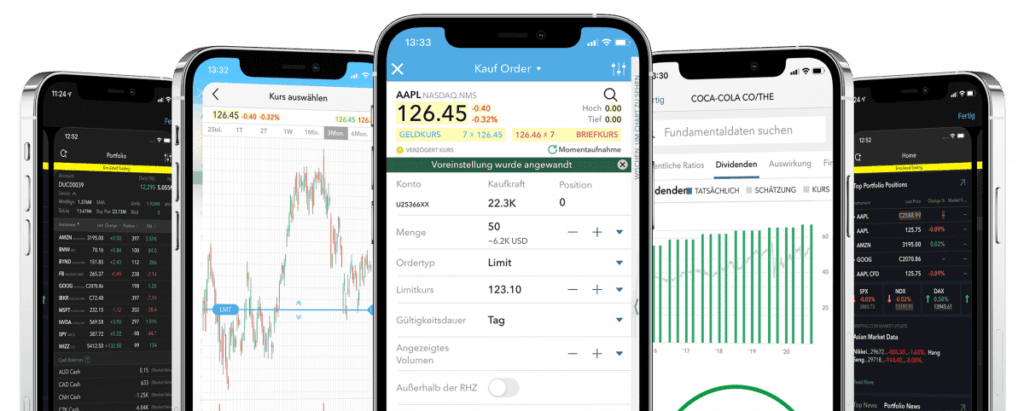
With the test winner trading app from CapTrader, you can now use your securities account at CapTrader on the move - both on your smartphone and tablet. Don't miss any more movements on the global stock markets.
Streaming quotes and charts in real time
Filter markets and stocks by specific criteria with the Market Scanner
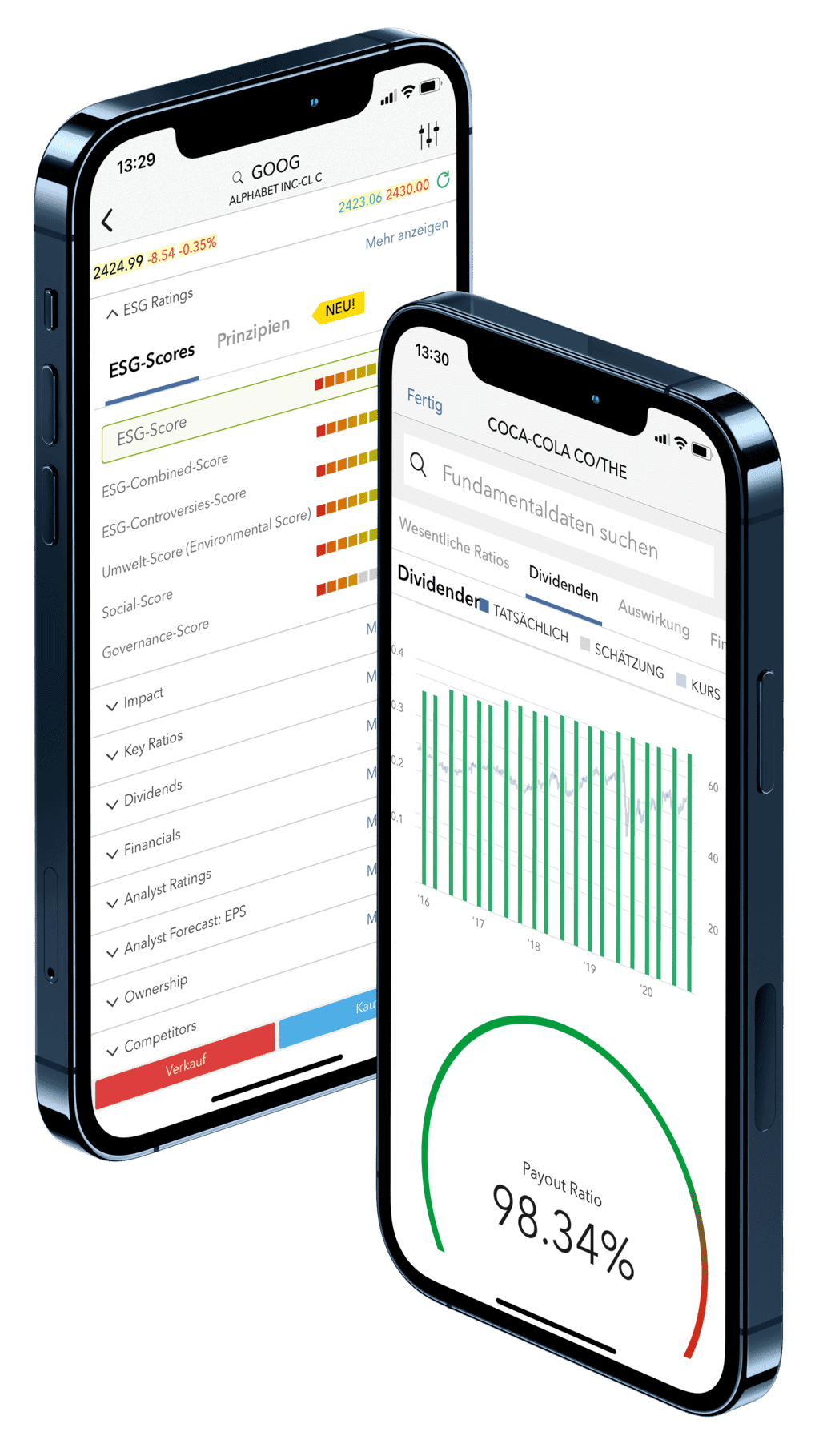
THE TRADING APP FOR APP REPEATEDLY THE IOS AND ANDROID


USE PROFESSIONAL TRADING TOOLS IN ONE APP
The CapTrader app offers the right tool for every need. The unique offer is designed to help you enter any order you want in the system and expand your opportunities in trading.
Functions and applications that enable global trading of a wide variety of security classes with countless order types, with algos and with many efficiency-enhancing trading tools round out the trading in the trading software.
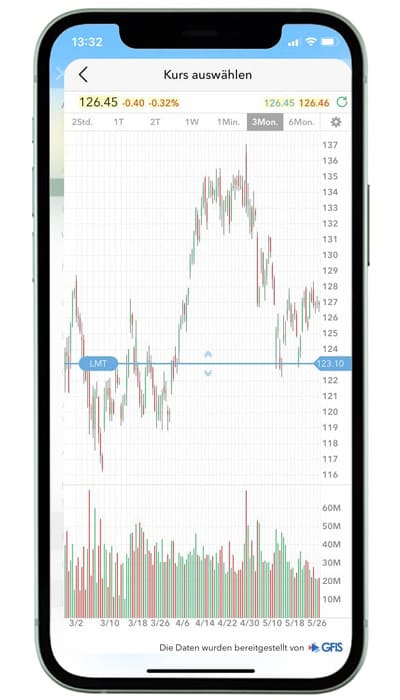
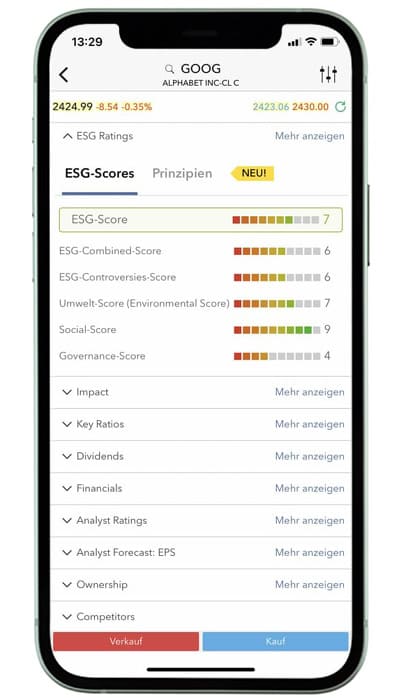
TRADE THE TOPIC OF THE FUTURE SUSTAINABLE INVESTMENTS ALL INTUITIVE
Use CapTrader's range of ESG tools to create your own sustainable investment plan. Invest in companies that share the same values and principles as you with the Impact Dashboard. You can make a positive difference with your investments today.
- Sustainable choice: actively support positive values and contribute to such business activities.
- Personal Score: Determine how individual companies help or hurt your portfolio score.
- Select individual criteria that are important to you.
- Trade sustainable investments quickly and easily via a modern app.
SAFE AND COMPREHENSIVE ANALYSIS OF MARKET DATA
In the CapTrader app, you have many security query options at your disposal, for example, via password, Face ID and Touch ID. Outstanding features in the broker test were also the security variant of two-factor authentication (e.g. password and fingerprint) as well as access without releasing cell phone data after registration (with name and mail address).
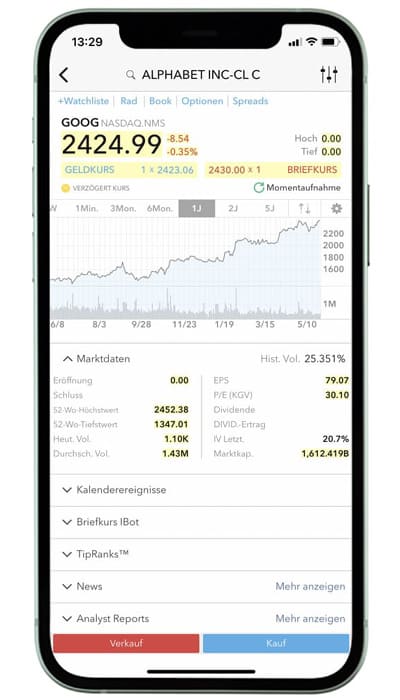
IN 3 STEPS TO THE TEST WINNER APP

1. OPEN A FREE CUSTODY ACCOUNT

2. LOAD APP
Download the CapTrader trading app on your mobile device for free from the App Store or Google Play.
3. LOG IN TO THE APP
Register your securities account with your user data in the trading app.
CAPTRADER CUSTOMERS ARE INSPIRED
CAPTRADER CUSTOMERS ARE INSPIRED
TIPS AND INFO: FREQUENTLY ASKED QUESTIONS ABOUT THE TRADING APP
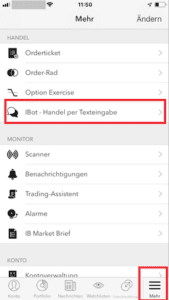
To open the IBot in the IB TWS for iOS
Log in to the app on your smartphone. In the tab bar at the bottom right of the app, tap the "More" icon and select "IBot - Trading by Text Input".
Swap currencies in the CapTrader trading app - mobile trading
In this video we will show you how you can exchange currencies in our trading app in just a few minutes. You can choose between currently 24 currencies worldwide. For example, you can exchange Euros for US dollars in order to trade with them on the US stock or options market (no trading recommendation).
[yotuwp type=“videos“ id=“7XjQQrxGNEE“]
Use CapTrader App with your Apple Watch
Keep an eye on your CapTrader account on the go: On your Apple Watch
On your Apple Watch, you can view your account information and INFO notifications at a glance.
Simply log in to IB TWS for mobile devices on your iPhone and check your most important account corner data and your CapTrader INFO notifications directly on your watch. So in the future, you won't have to take your phone out of your pocket to know what's going on. A glance at your wrist tells you your net liquidation value, information about orders and executions, your liquidity surplus and your current positions. Once your Apple Watch is configured and synced with TWS for your iPhone, you can stay in the know!
Enable checks on your Apple Watch
With the help of so-called "checks" you can see the most important account values and the INFO icon shows you how many new messages you have received.
- Please ensure that you have updated your Mobile TWS for mobile devices to version 8.14 or later.
- Open the Watch app on your iPhone and go to "Checks".
- In the lower list you can see the checks that are not included ("Do Not Include"). Tap the plus sign to add the TWS to the list of included checks. You can use the "Edit" function to adjust the order of the listed content in the display on your clock.
Receive INFO notifications
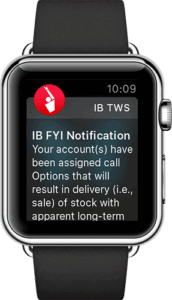
You can receive your IB-INFO notifications directly on your watch, similar to text messages. However, you must first enable these notifications on your iPhone.
Enable push notifications for IB-INFOs on your iPhone.
- Tap "Settings" and then "Notifications".
- In the "Notification Style" app list, scroll down until you find "IB TWS".
- Tap it to open the IB-TWS settings and activate the "Allow notifications" slider if it is not active.
Now you can use your Apple Watch!
Press the button on the side edge of your Apple Watch to see the time. Then swipe your finger up on the display to see your checks. Scroll left through your checks until you see the IB TWS.
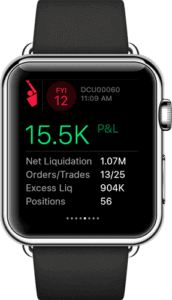
If you have enabled push notifications, you can now receive and read IB-INFO messages on your watch and you can see how many messages you have received via the INFO icon on the TWS check.
Search and trade stocks in the CapTrader trading app - mobile trading
In this video we show you how to buy a US stock (example trade: Apple) in our trading app in a few minutes directly on the US stock exchange NASDAQ in USD. First, we explain how to search for the right security and then how to buy the stock. In addition, we will show you how you can place a stop loss order and a take profit order directly when placing the main order. This so-called bracket order allows you to hedge in both directions of the price development of your share (no trading recommendation).
[yotuwp type=“videos“ id=“n5-C0CFZND4" ]
To verify your cell phone number
On this page we will show you how to verify your cell phone number. If the verification of your phone number was not completed during your account application, you can do it at any time by following the steps below:
- Sign up in the Account Management/Client Portal an.
- From the menu at the edge of the screen, select >Settings off.
Click on the configuration icon associated with the mobile number. If you use the classic account management, you can access this section from the menu at the top of the screen. To do this, select Manage account → Account information → Details → Profile and click the "Modify" link.
GERMANY'S MULTIPLE AWARD-WINNING ONLINE BROKER

MORE THAN 1.2 MILLION VALUE PAPERS AT SENSATIONAL CONDITIONS

Stocks

Options

Futures

Forex

ETFs

Warrants

Bonds
