In order to be able to subscribe to real-time market data in your CapTrader securities account, the capitalization of your securities account with at least 500 USD (or equivalent) is a prerequisite. Please also note that for the desired security type you must also have are unlockedotherwise no live prices can be displayed (despite the market data subscription).
Market data is provided by Global Financial Information Services (GmbH). On behalf of Global Financial Information Services (GmbH), your Regional Broker will collect amounts for fees and taxes for such data. Note: With respect to the provision of these services, you are responsible for any applicable taxes that may be charged in addition to the market data fees. As a customer, you will see this sales tax displayed in the Account Statement under>Change in NAV and in the Cash Report.
Dialing into the account management (Client Portal)
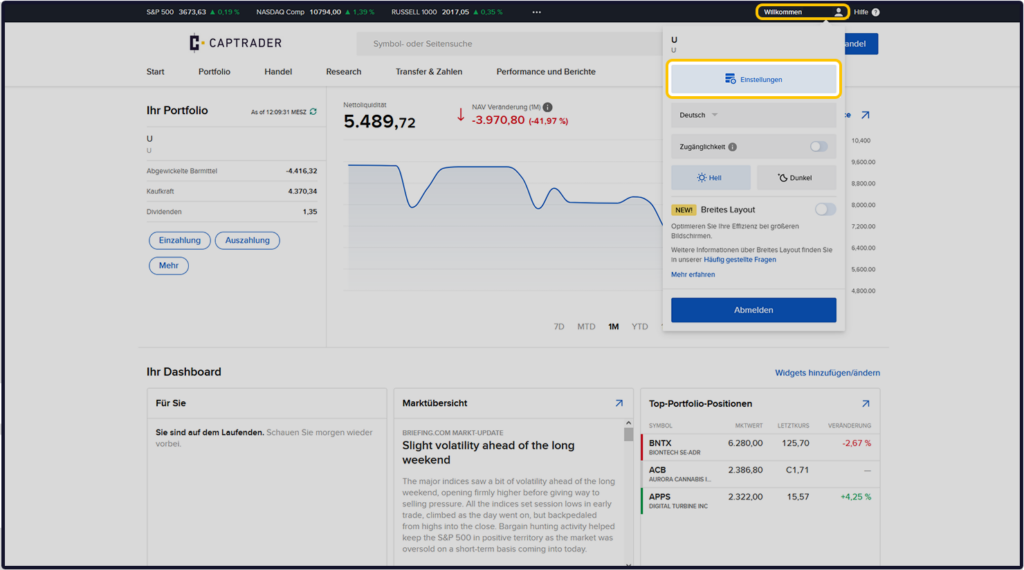
Sign up in the Account Management (Client Portal) and click in the upper right corner on the > User icon and then on > Settings.
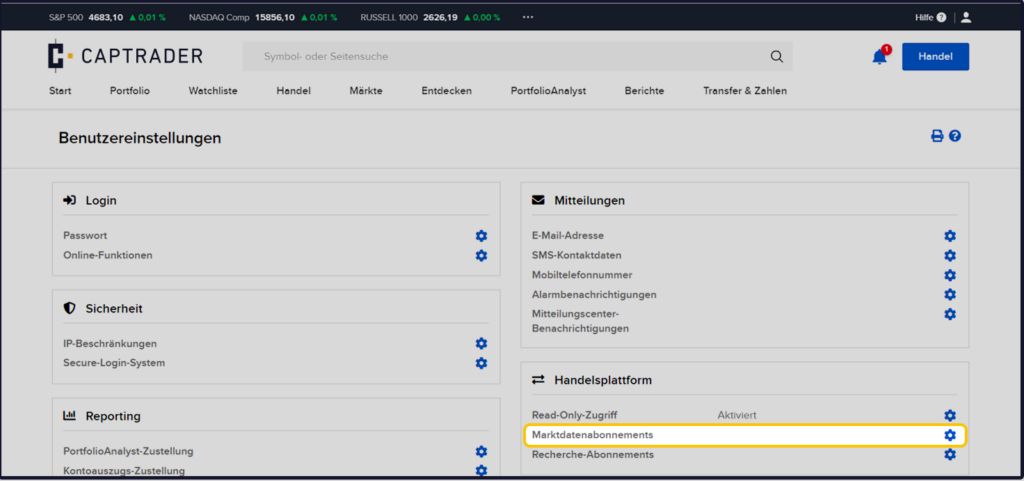
Then select in the menu item > Trading platform the point > Market Data Subscriptions.
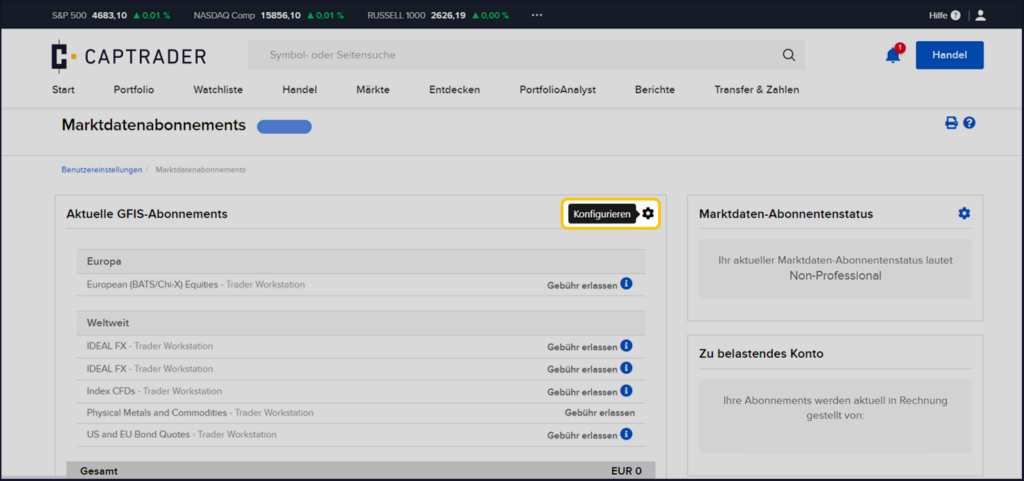
Now click on the > Configure iconto start the order process.
You will now see different countries/regions and there respectively different categories of market data packages like > Price packages, > Indices, > Level I (NBBO), > Level II (market depth) etc.
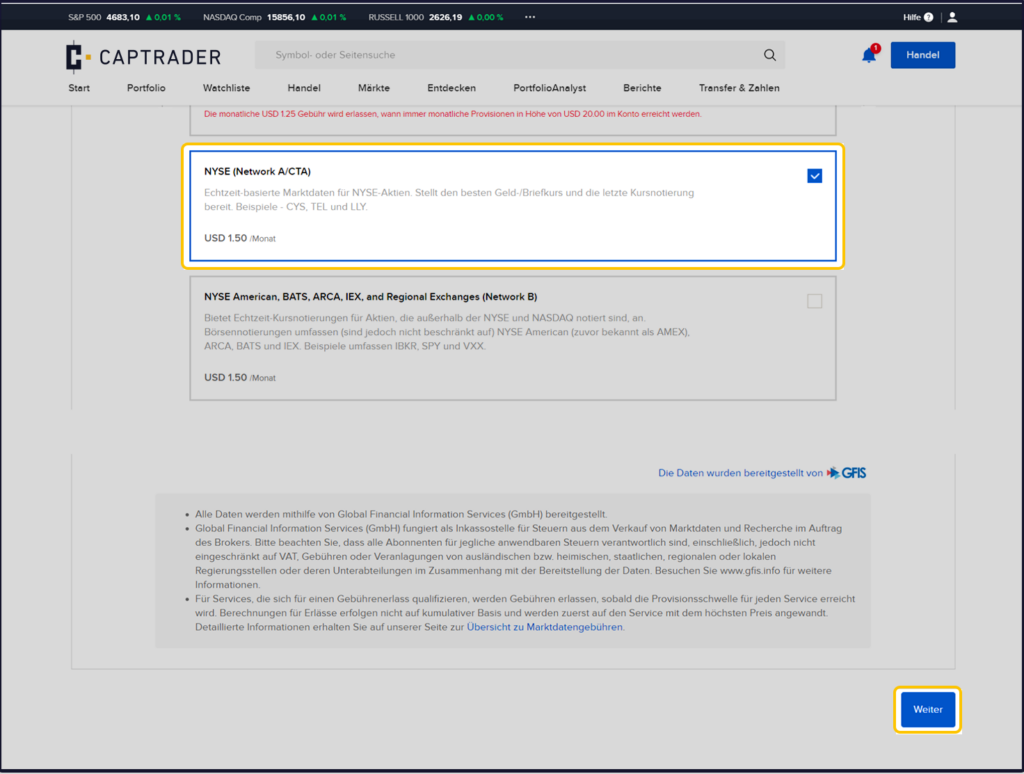
Now select the package that meets your needs by clicking the selection box.
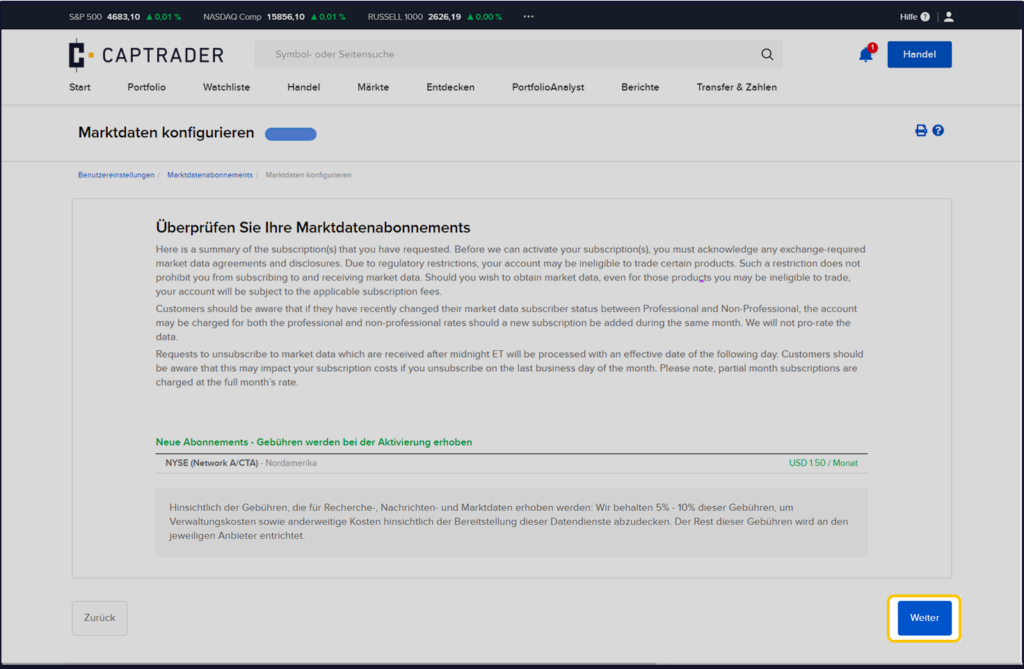
Example: In our example for the Trading of US stocks on the US stock exchange NYSE (New York Stock Exchange) the package > NYSE (Network A /CTA) selected for 1.50 USD/month.
After your selection, please click on the bottom right button > More.
Finally, check your selection now and Confirm the subscription by clicking on the button > More.
Note: If you want to make changes to the previously made selection, please click the > Back button.