


If you have opened multiple accounts with CapTrader in the same name or you want to transfer positions from other Interactive Brokers accounts (and their partners), you can make an internal transfer. This allows you to move securities positions between your accounts.
Dialing into the account management (Client Portal)
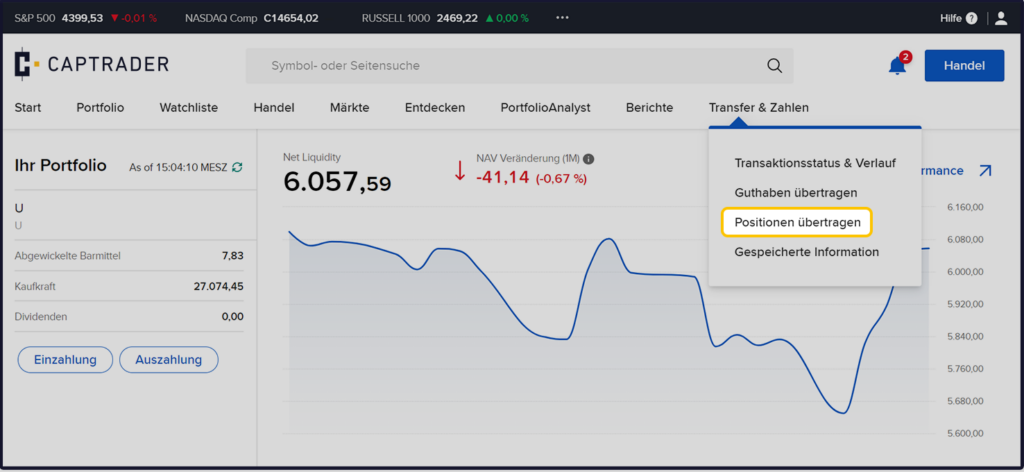
After dialing into the Account Management (Client Portal) the path > Transfer&Numbers > Transfer positions.
Type of transaction: Internal transfer
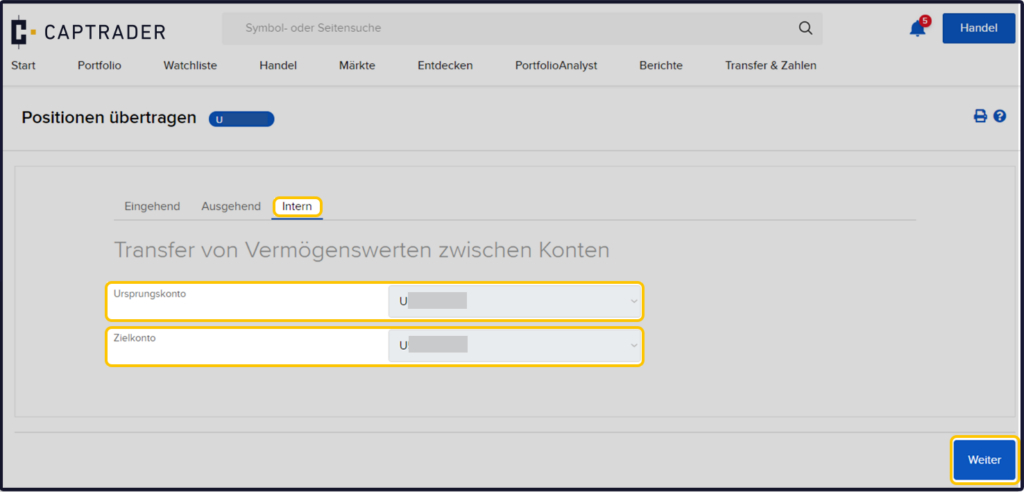
Now select the item > Internal.
Afterwards you select your Source accountfrom which the desired position is to be transferred away and the Target accountto which the position is to be booked. Then click on the button > More.
Selection of securities
On the following page you will see a list of the securities positions in your securities account and the corresponding quantities. Enter the number of securities you want to transfer.
You can transfer the whole position or a part of it. Then click the button > Next.

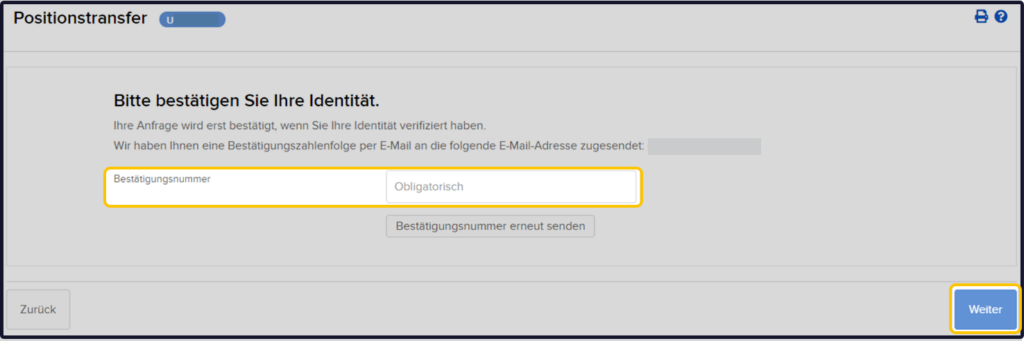
After that, please confirm your identity and click on the button > More.
Your positions will then be transferred. Please note that the entry prices of the positions are automatically transferred one working day later.