


If you are a client of Interactive Brokers you have the comfortable possibility to transfer your securities account with only one mouse click. The "Link Account" function in the account management (Client Portal) allows you to transfer all cash and securities holdings quickly and easily to CapTrader.
For customers of Interactive Brokers, basically the only thing that changes is that you can easily switch to trading support at CapTrader and benefit from various promotions and offers from CapTrader.
How to link your Interactive Brokers securities account to CapTrader
Log in with your access data (of the securities account at Interactive Brokers) in the Account Management (Client Portal) an.
Click > Settings > Manage account link > Account with advisor/broker/administrator connect.
Next, select the 2nd item ("Connect my existing account with an advisor/broker.") and then click on the button > More.
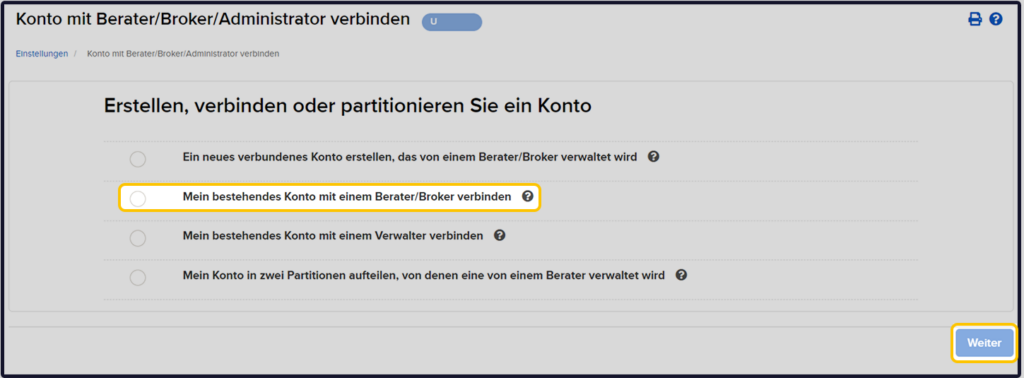
Account ID
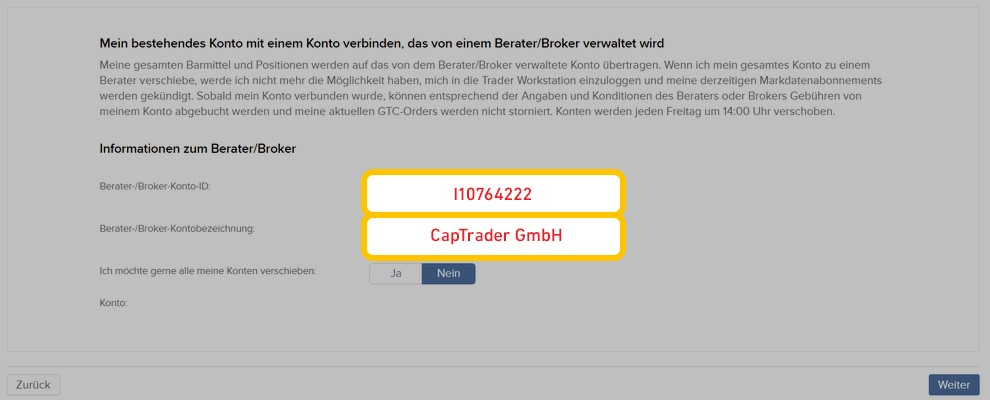
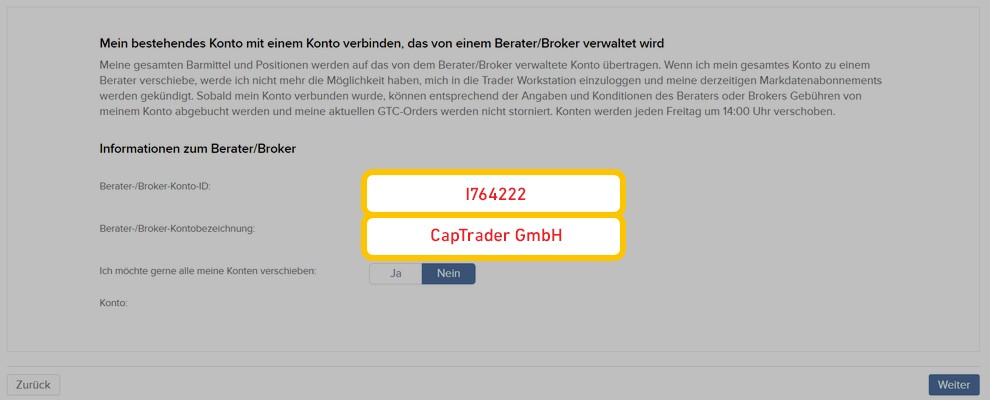
Now please enter the account ID corresponding to your place of residence in the first field.
a) You have your main residence within the EU (custody account management in Ireland): I10764222
or
b) You have your main residence outside the EU (custody account management in UK): I764222
In the second field please enter the title CapTrader GmbH one.
Afterwards please click on the button > More.
Primary residence within the EU (account management in Ireland)
Main residence outside the EU (account management in UK)
Now sign with first and last name on the following pages and click on the button > More.