


TWS Index lists
Instructions: Importing the lists into your Trader Workstation TWS
Please proceed as follows:
Save the list to your desktop (click on the desired list above to download the file. Alternatively, please right-click on the desired list and select > Save link as...).
Please create a new watchlist for the respective list in the TWS (e.g. MDAX) by clicking on the plus sign.
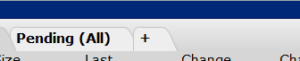
Then right-click under > Financial instrument in one of the empty fields. The following window will then appear:
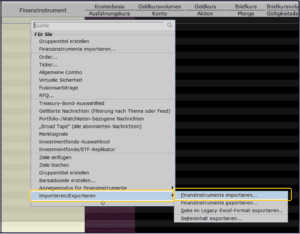
Then click on > Import/Export and then on > Import financial instruments.
Now select the list previously saved on your computer and click the button
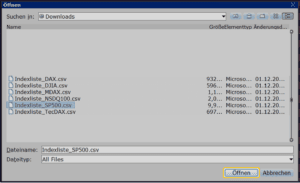
Confirm your selection by clicking on the > OK button.
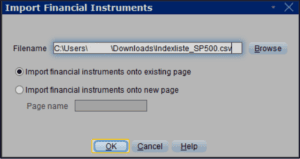
Now all single stocks of the respective index should appear in your watchlist.
Please note: For indices that have more than 100 individual values, the TWS may freeze during the first import. In this case, please simply try the import again, as the 2nd import will then run without errors.
You want to import several or all index lists? Then please repeat the individual steps for the desired index list in each case.