You can register for the Stock Return Optimization Program in the account management (Client Portal). We will show you the relevant steps for registration on this page. Participation in the program is voluntary and can be activated and deactivated at any time in the Client Portal (Account Management). Particularly in low-interest phases, the stock return optimization program pays off because it allows you to earn attractive interest on your own stock assets without any effort.
If you have any questions about the Stock Return Optimization Program, please use our Questions and answers on our page here or please feel free to contact our customer support.
Dialing into the account management (Client Portal)
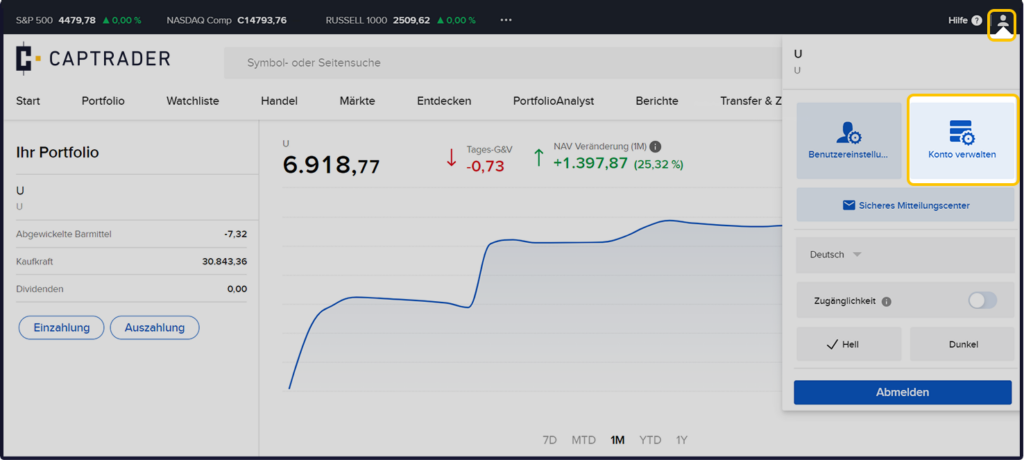
Sign up in the Account Management (Client Portal) and click in the upper right corner on the > User icon and then on > Manage account.
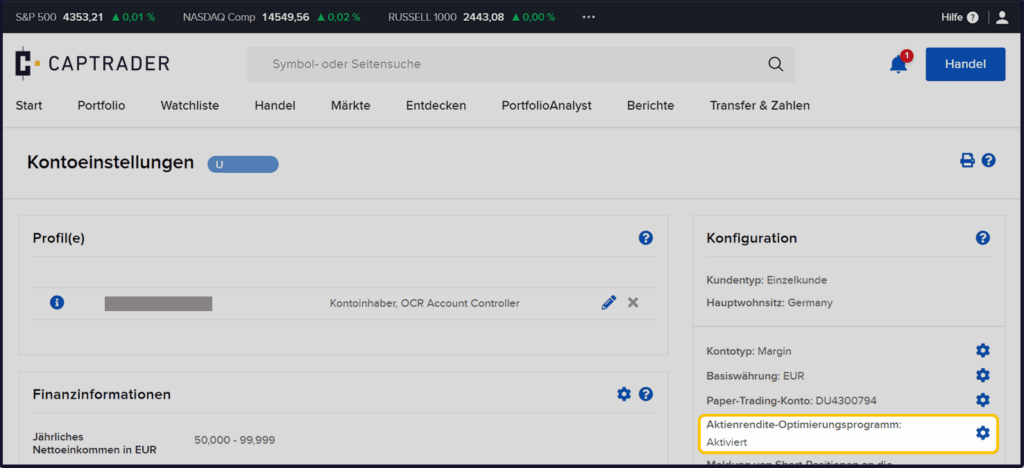
Now click in the area > Configuration on the > Configure icon at the point > Stock Return Optimization Program.
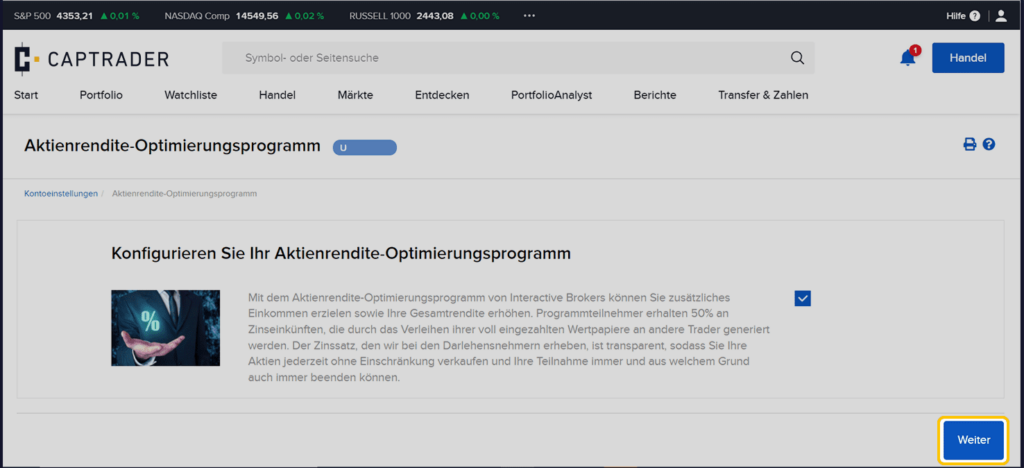
Now tick the box to participate in the program. Afterwards please confirm by clicking the button > Next.
Your registration is now being processed.