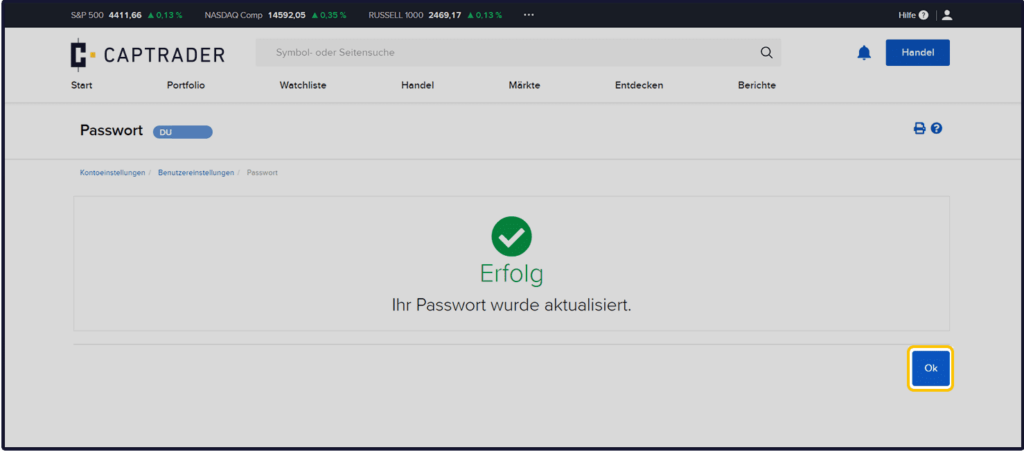
If you ever forget the password of your Paper Trading account, you can reset it in a few steps via your account management (Client Portal).
If you just want to change the password and you still have the current password, you can find instructions for this change on this page below.
Password change (you do not know your current password)
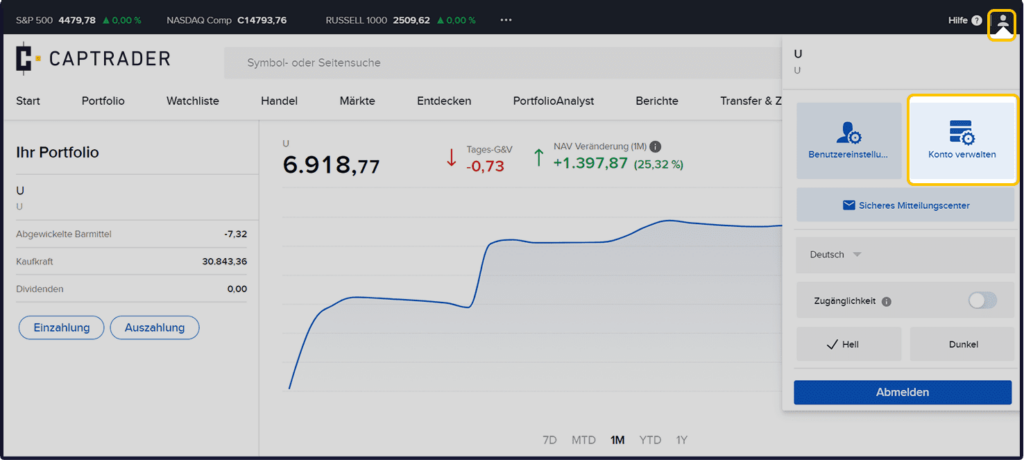
Sign up in the Account Management (Client Portal) of the real depots and click in the upper right corner on the > User icon and then on > Manage account.
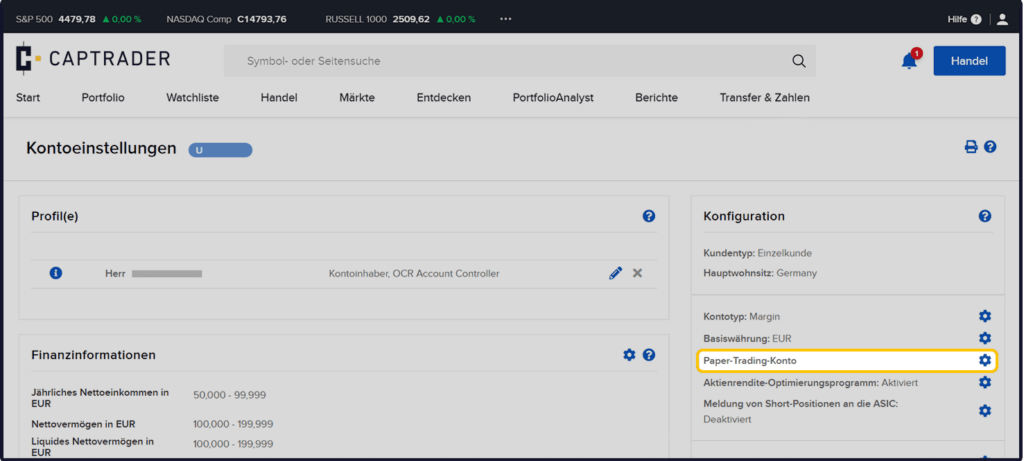
Please click next to the term Paper Trading Account on the > Configure icon.
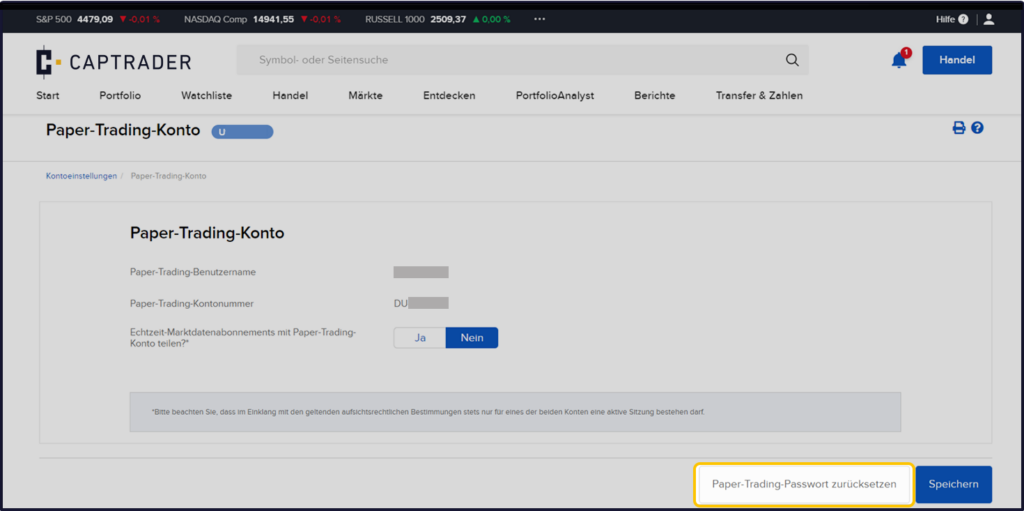
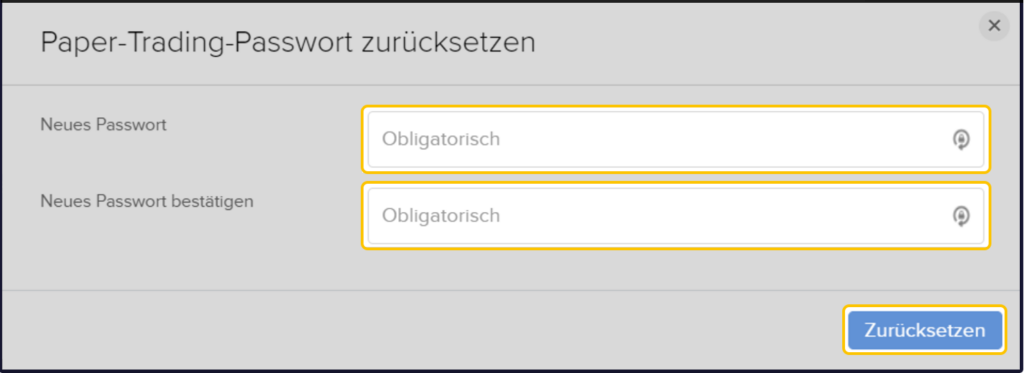
Afterwards please click the button below > Reset Paper Trading password.
Now enter the newly selected password in the two fields.
Defaults for the password:
- Must not be the same as the username
- Must be between 8 and 40 digits long
- Must contain at least one letter
- Must contain at least one number
Afterwards please click on the button > Reset.
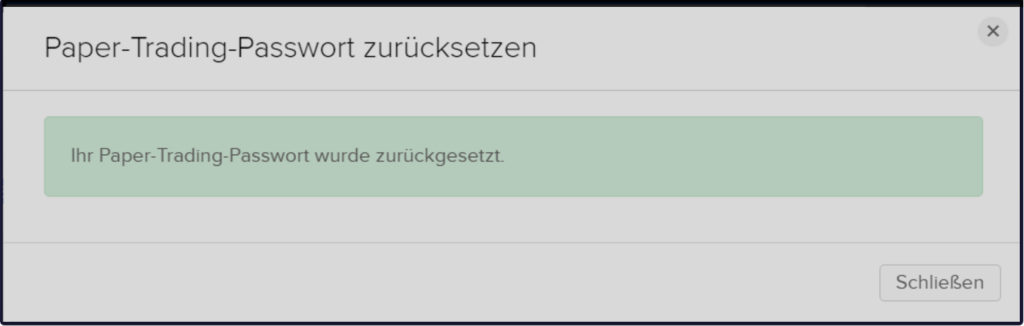
Your password has now been reset. Finish the process by clicking the button > Close.
Password change (you know your current password)
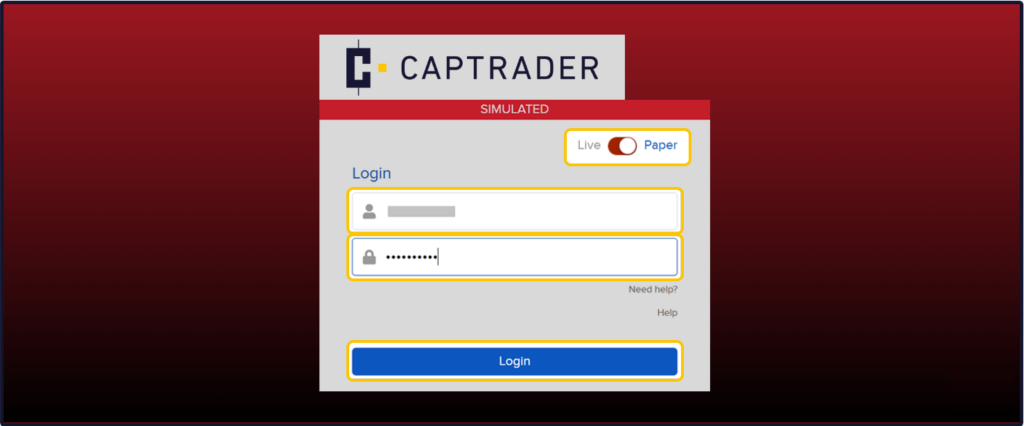
Dial into the Account Management (Client Portal) of the Paper Trading account by using the access data of the paper trading account or the access data of your real securities account at CapTrader. Move the slider here to > Paper.
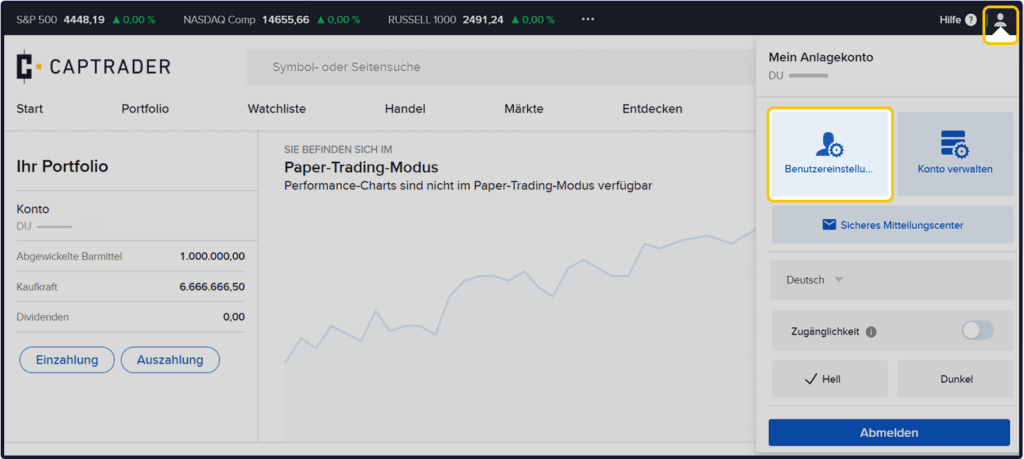
Now click in the upper right corner on the > User icon and then on > User settings.
Now click at the item Login and Password on the > Configure icon.
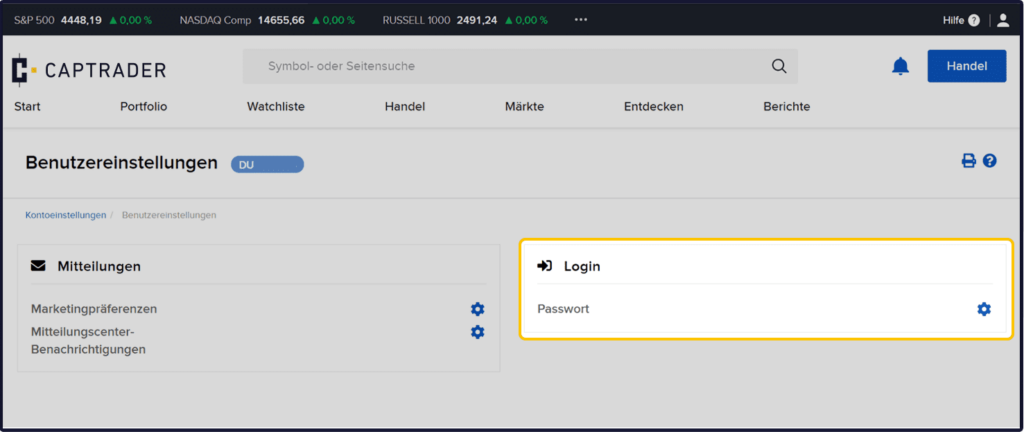
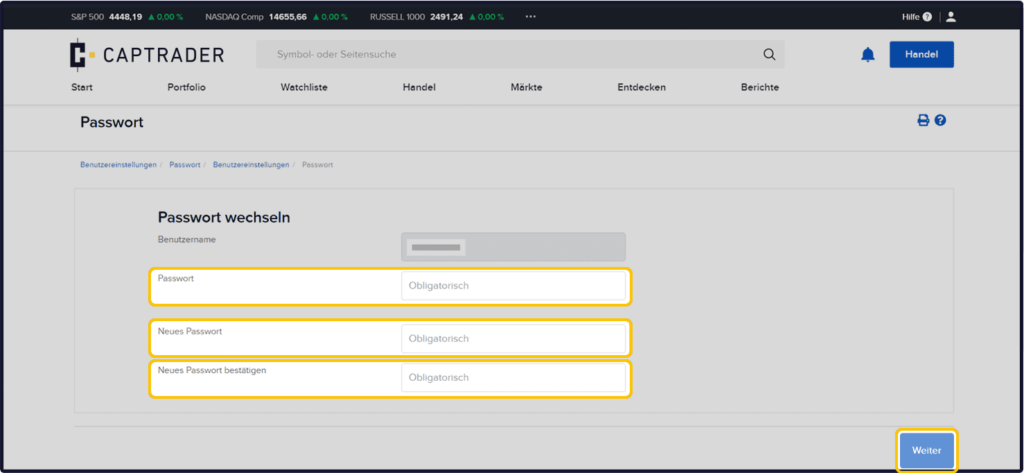
Now enter your current password in the first field and then the newly selected password in the two following fields.
Defaults for the password:
- Must not be the same as the username
- Must be between 8 and 40 digits long
- Must contain at least one letter
- Must contain at least one number
Afterwards please click on the button > More.
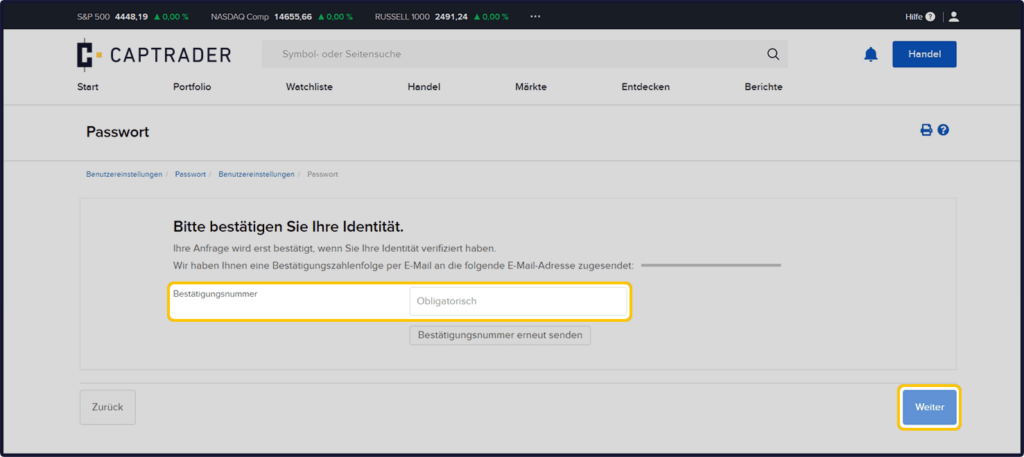
Now you will receive a message with a confirmation number on the e-mail deposited in your account. Please enter this sequence of numbers on the following page in the field > Mandatory one.
Afterwards please click on the button > More.
You will now see the confirmation of your request to change the password of your Paper Trading account.
Now click the button > OK to complete the process.