


Before you open your securities account via CapTrader, there are often a few questions that we would like to answer on this page. If you have any further questions, please do not hesitate to contact our award-winning customer support team.
You can reach our customer service every trading day from 08:30 - 20:00 here on the website via live chat, classic via E-mail and of course by telephone on the free hotline 0800-8723370 (international: 00800-08723370). Or have us call you at a time of your choosing: Callback service.
Also, please feel free to take advantage of our wide range of content and assistance on this website. To do this, take a look at our Help Center where you will find answers to a large number of common customer queries.
We are looking forward to your inquiries!
What kind of depot do I need?
CapTrader has the right account type for every requirement. As a private investor, you can choose between an individual custody account or a joint account. Or would you like to manage the securities accounts of your family members under one account structure? As a company, you can also trade via CapTrader by opening a company account. You don't want to actively trade yourself, but would like to use the expertise of an experienced portfolio manager for your securities account? Then the Managed Accounts might be right for you.
Find an overview of all account types at CapTrader on this page: Account types at CapTrader.
What documents are needed for opening?
- Your personal Tax identification number
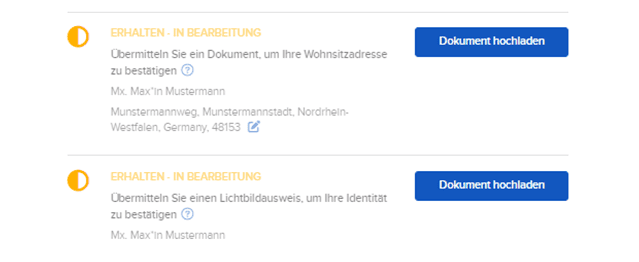
- To open a private securities account, we require a valid proof of identity and a current proof of address from you. Please upload these directly in the online application. There is no need to go to the post office (PostIdent procedure).
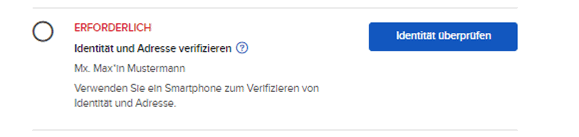
You can choose the simplified procedure and verify yourself directly online or upload the document directly.
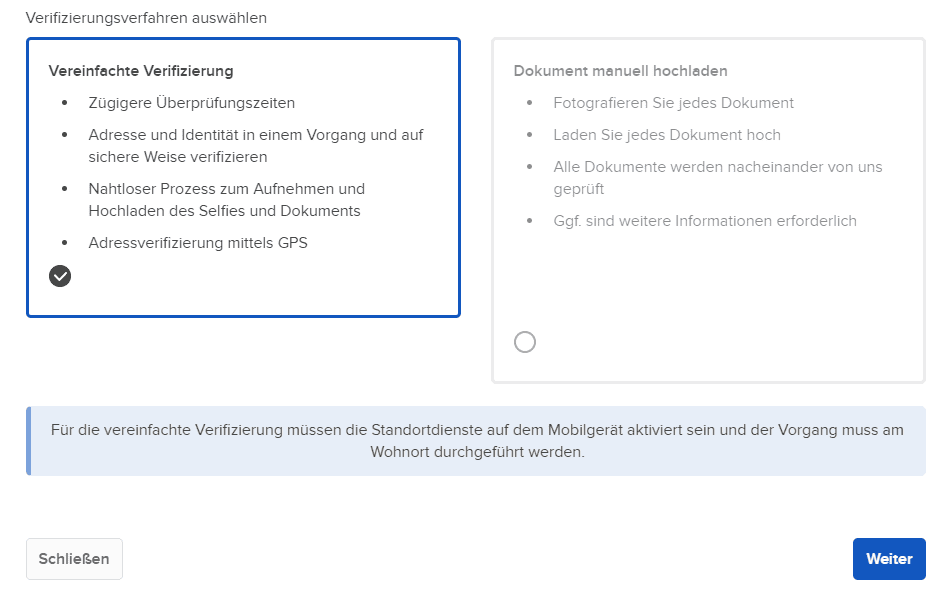
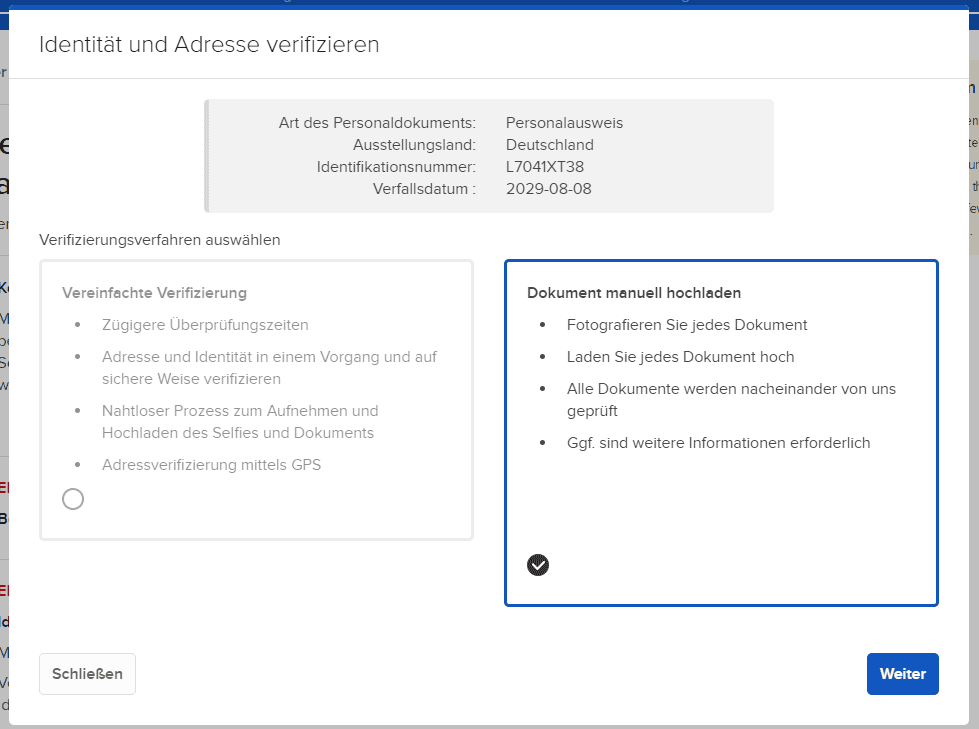
Please click on "Upload document manually"
Then take a photo of the front and back of your ID card using a mobile device, for example, and upload it securely. Click on "This document has a valid address" to also verify the address in one step.
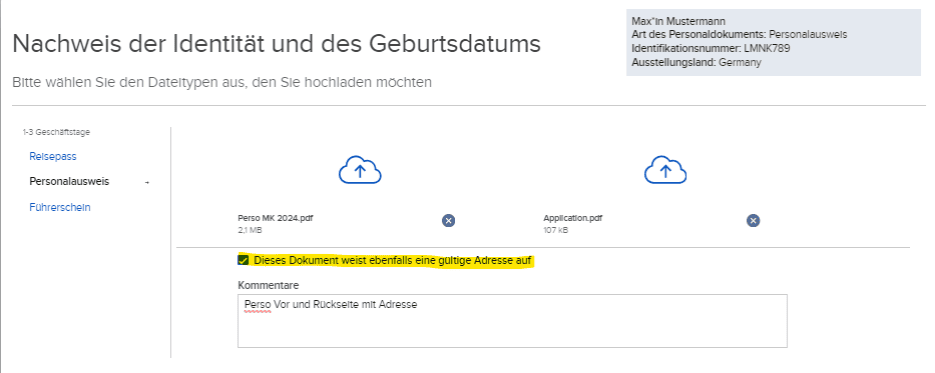
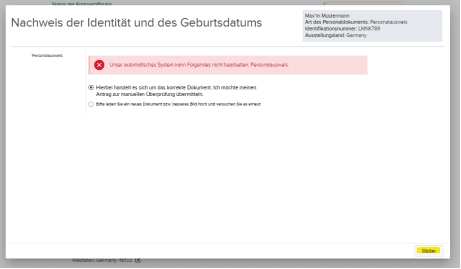
If the system cannot complete the check, submit it for manual checking with "continue"
Alternatively, you can upload a copy of your passport or a copy of your driving licence (must include an expiry date).
In addition, we then require proof of address - Proof of address :
a bank statement, a personal address confirmation from the company's bank or a utility bill
- all less than 6 months old
What type of account should I choose, cash account or margin account?
Depending on the types of securities you wish to trade and whether you wish to invest beyond your credit balance, CapTrader generally offers you a choice of two account types.
The cash account (also called cash account) can be used from the age of 18 for all persons who meet the requirements for opening. Deposited funds can be fully invested and leveraged trading is excluded on a cash account. With the cash account, certain types of securities such as futures and options strategies as well as the Short Selling not possible.
The margin account can be used by anyone over the age of 21 who meets the requirements for opening an account. It is possible to invest in excess of the deposited balance (margin loan). All securities available via CapTrader can be traded with the margin account (Trading authorizations).
Find a detailed overview of the differences and the respective advantages and disadvantages of the account types on our site here: Cash and margin account
Which base currency should I choose?
Please always select the currency in which you pay in your tax residence as the base currency. This selection is important for your tax details later on. All custody account types via CapTrader are so-called multi-currency accounts. This means that you can hold various cash balances in different currencies in one custody account, as these are never automatically converted by the account. The base currency of your custody account is the currency in which all holdings are displayed.
The base currency can be set flexibly after opening a securities account in your account management (Client Portal) in the menu item > Account settings changeable.
On these pages we will show you how to convert your deposited currency into one of the many possible currencies: