Using the exchange function in the account management (Client Portal), foreign currencies can be exchanged very easily and currency positions can be established.
Find our account management (Client Portal) instructions on how to clear your negative foreign currency balances on this page.
Note on currency trading:
If your order size exceeds an equivalent value of 20.000,- Euro, you need a separate trading release for the product class > Complex or leveraged exchange-traded products.
You can set this release in the Account Management (Client Portal) by following the steps we provide on our page > Manual authorizations have compiled.
Dialing into the account management (Client Portal)
Sign up in the Account Management (Client Portal) button and select the > More on the home page.
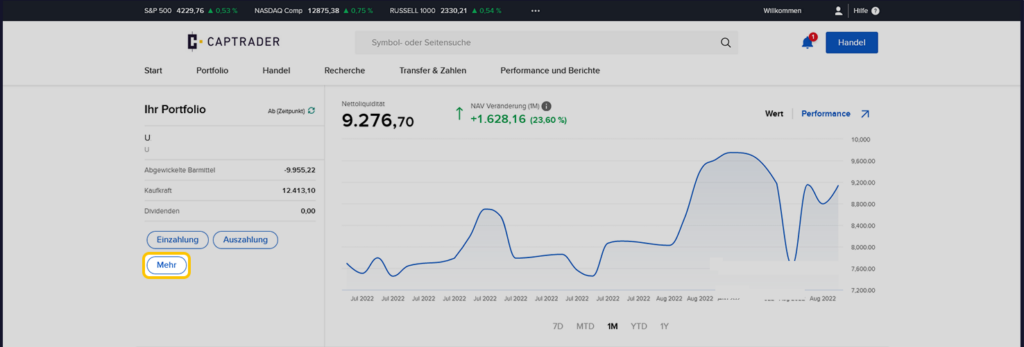
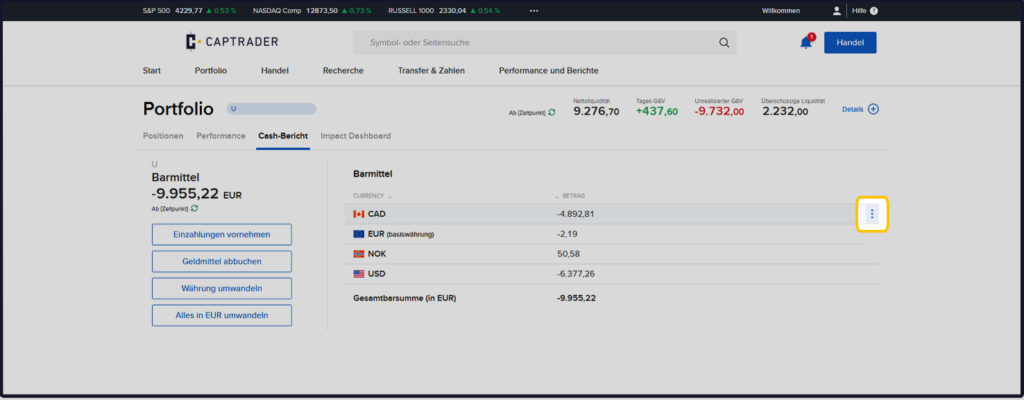
In the example you want to use the offset negative Canadian dollar holdings. To do this, on the next page, click on the > three points next to the currency holdings and there select the menu item > Close balance.
Note on the example exchange: the one chosen here Account type is the margin account. On this it is possible to generate negative (foreign) currency balances. On the account type: Cash account such a negative (foreign) currency balance is not possible. Here, all currency balances to be exchanged must be positive.
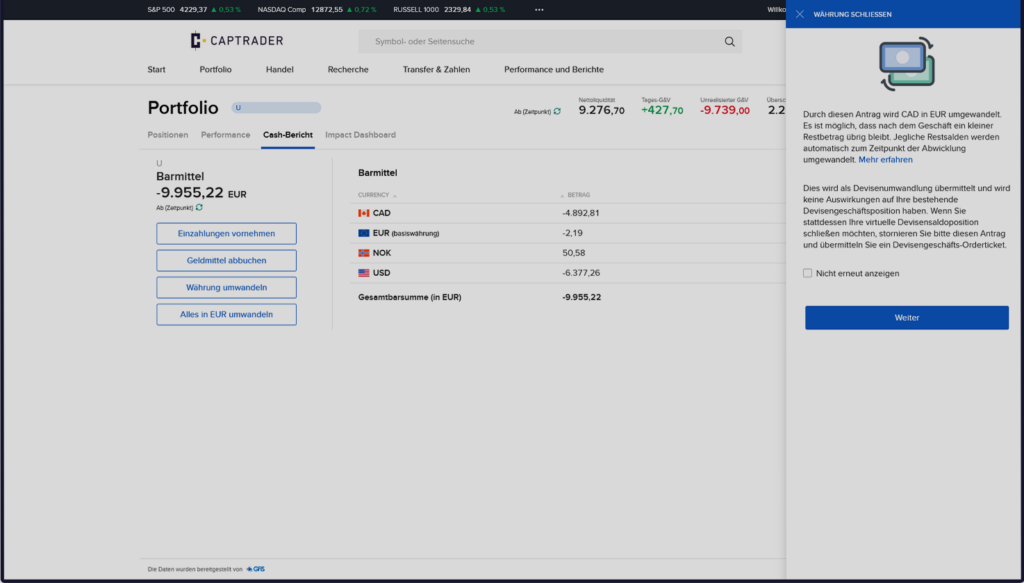
Now we get a hint on the right side, what happens in our example with the next steps with the individual currencies. Please confirm the hint by clicking on the button > Next.
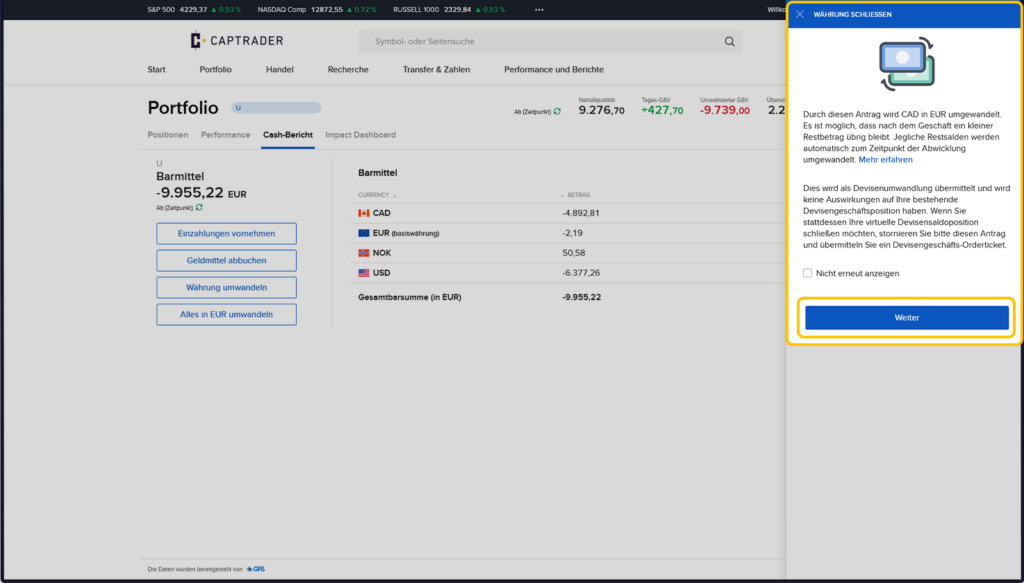
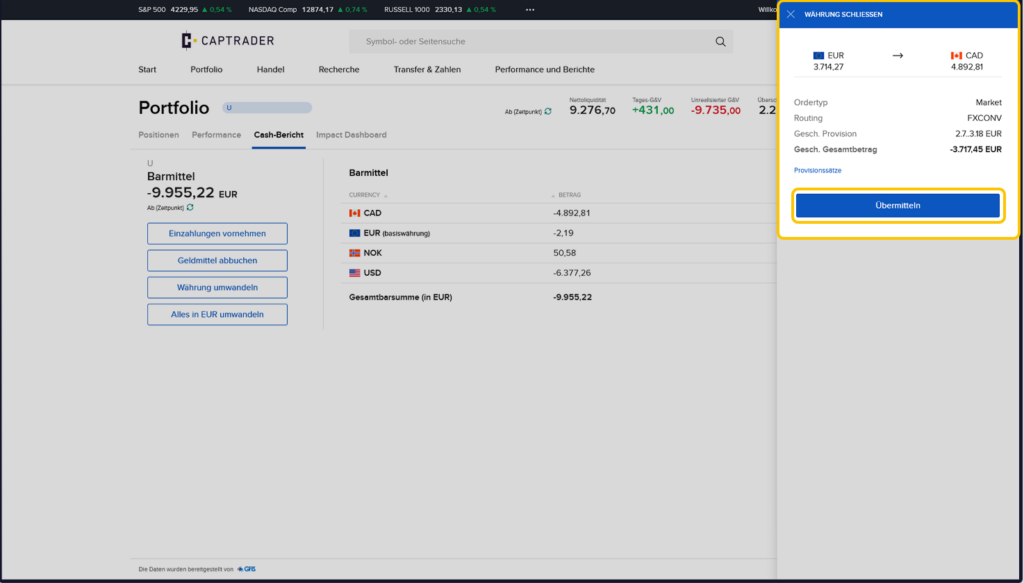
In order to balance -4,892.81 CAD (Canadian dollars) with the base currency euro in the example, the following are required as of the current exchange rate ("Market") 3,714.27 EUR (Euro) is required. If you agree, click the button > to exchange the currencies. Transmit.
Attention: When executing the currency trade you will receive a Order fee burdened.
Note on currency trading:
If your order size exceeds an equivalent value of 20.000,- Euro, you need a separate trading release for the product class > Complex or leveraged exchange-traded products.
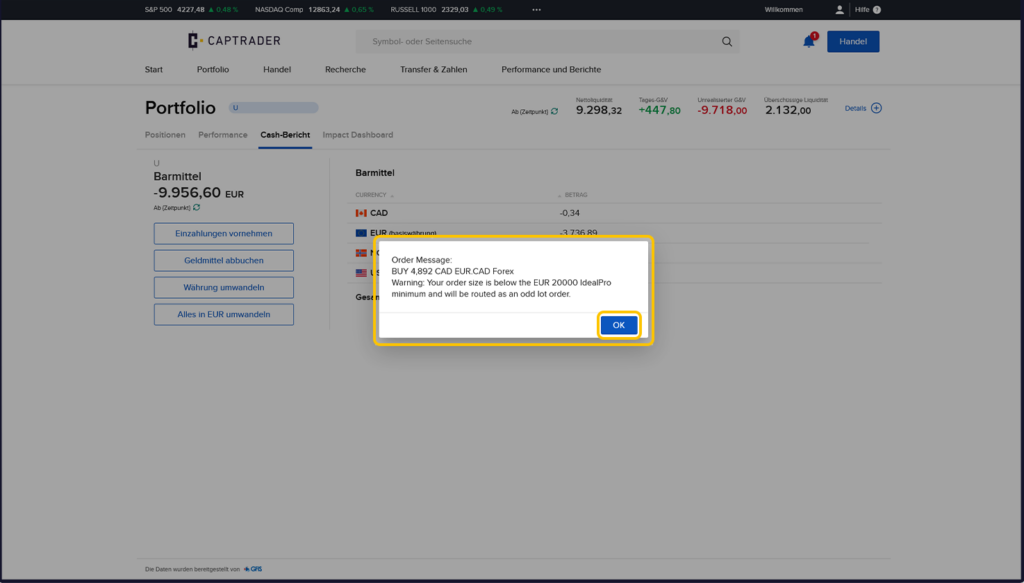
If the order size is smaller than this 20.000,- Euro, you will get the following hint, which you can cancel by clicking on the button > OK to be able to confirm the final release of the order.
Effects on currency holdings after the currency trade
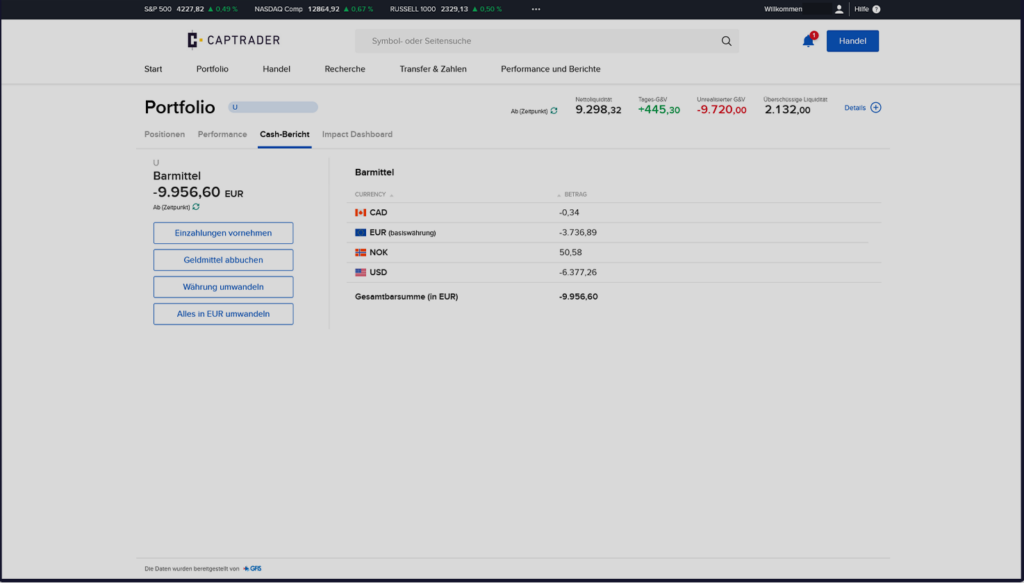
Following the successful exchange of Euros into Canadian dollars, the individual currency holdings have changed as follows:
- Canadian dollar: from originally -4,892.81 CAD to now: -0.34 CAD (the "small residual amount" described above)
- Euros: from originally EUR -2.19 to now: EUR -3,736.89.