You can use an alarm to be automatically informed about the development of prices or other key figures.
The Trader Workstation offers the possibility to use an alarm function for individual securities or fixed market situations. An alarm will inform you acoustically when it is triggered or - if you wish - by e-mail.
An alarm can be set up in either of the two ways as desired:
- About the icon > ALARMS in the TWS

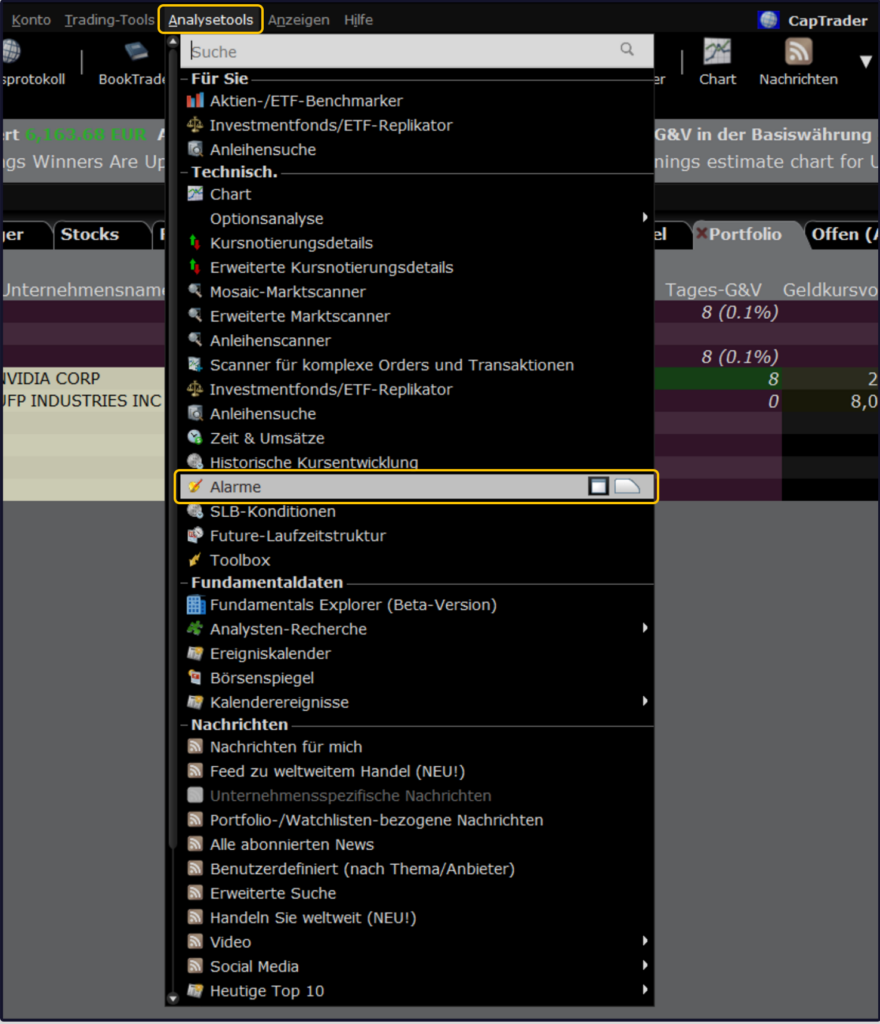
- Via the command bar over the path > Analysis tools > Alarms
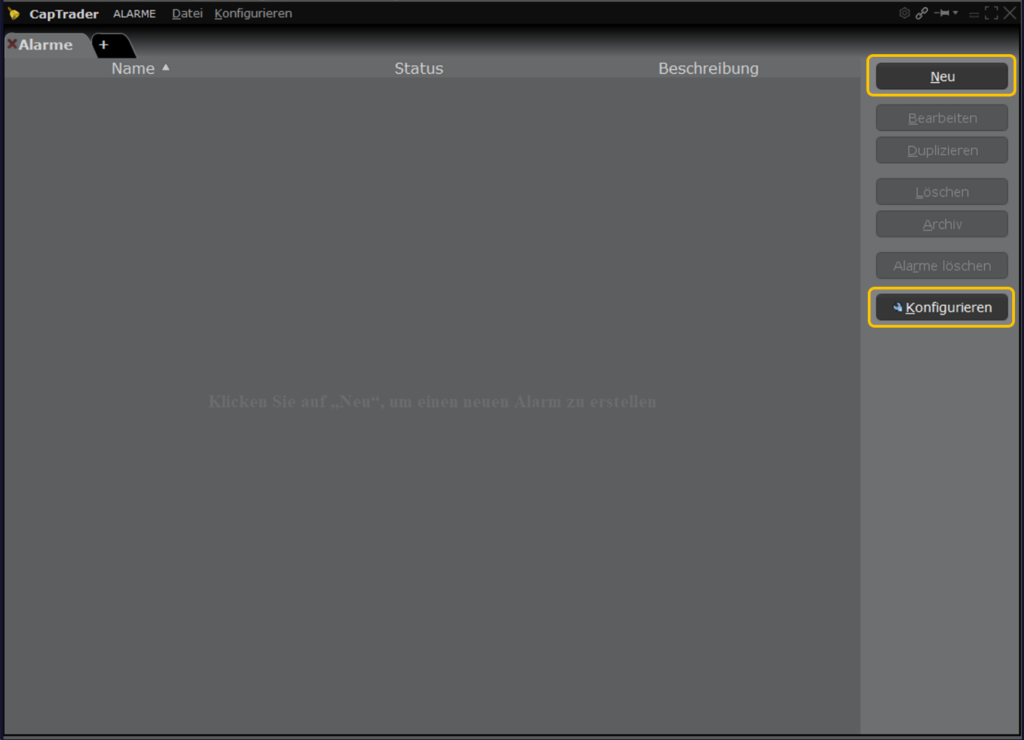
Via the button > CONFIGURE you enter the menu for managing alarms.
Via the button > NEW create your first alarm.
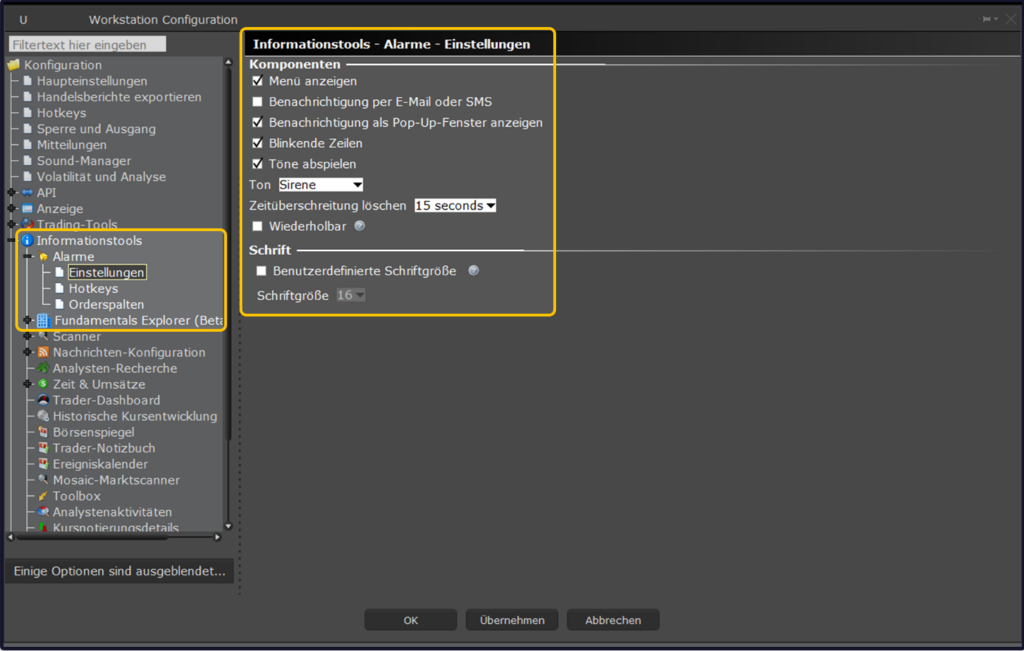
Here you can set, for example, whether an acoustic signal should sound when the alarm is triggered.
Via the button > ADD create a new alarm.
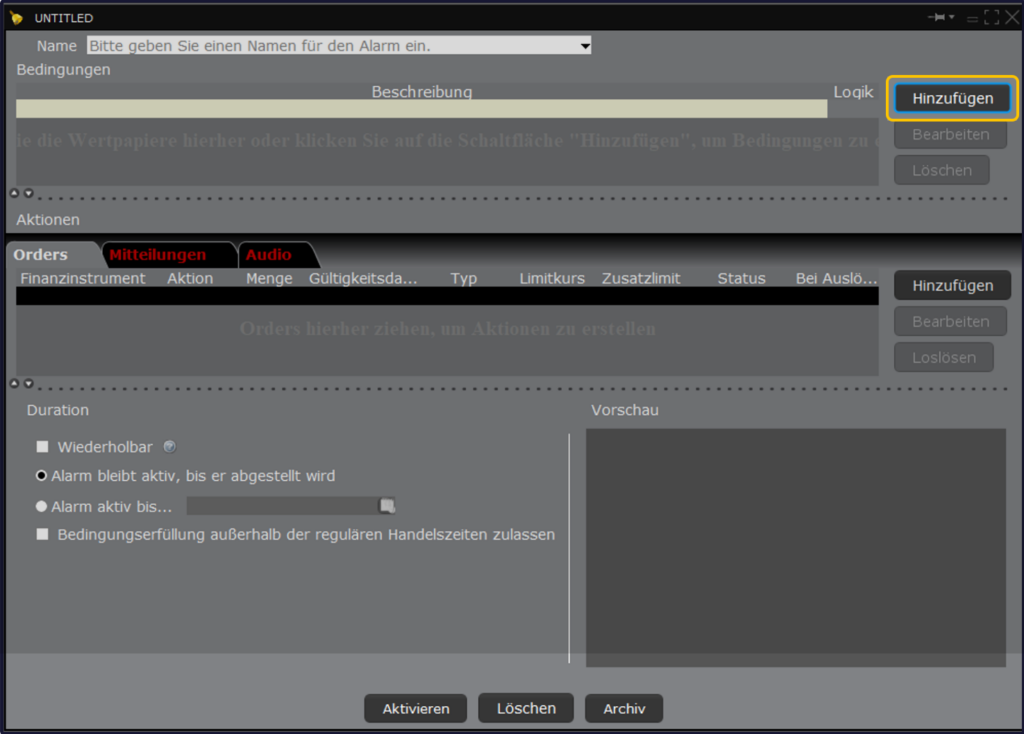
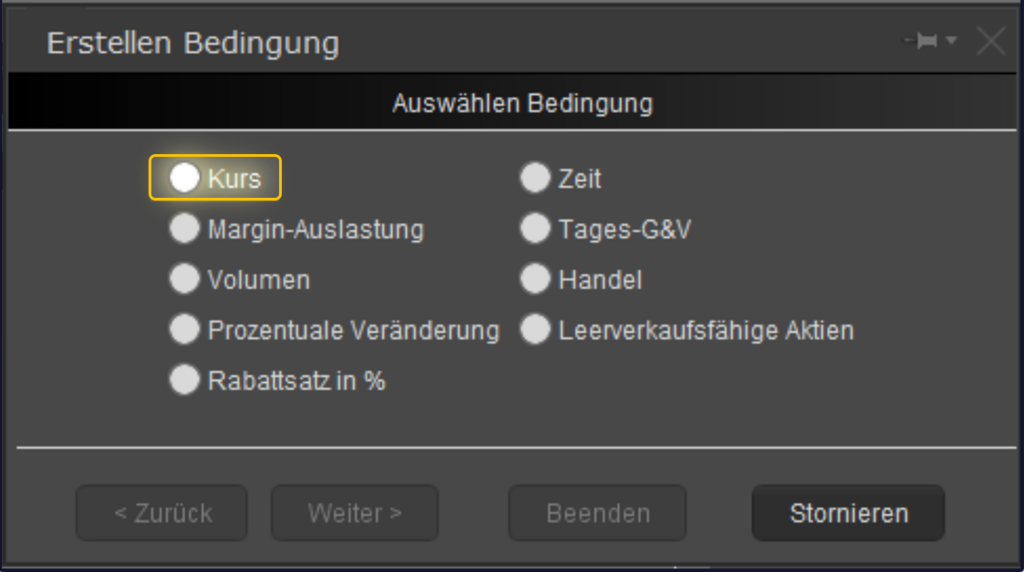
Select from the possible conditions (rate, time, margin coverage, daily profit & loss, etc.) below.
In our example we choose > COURSE.
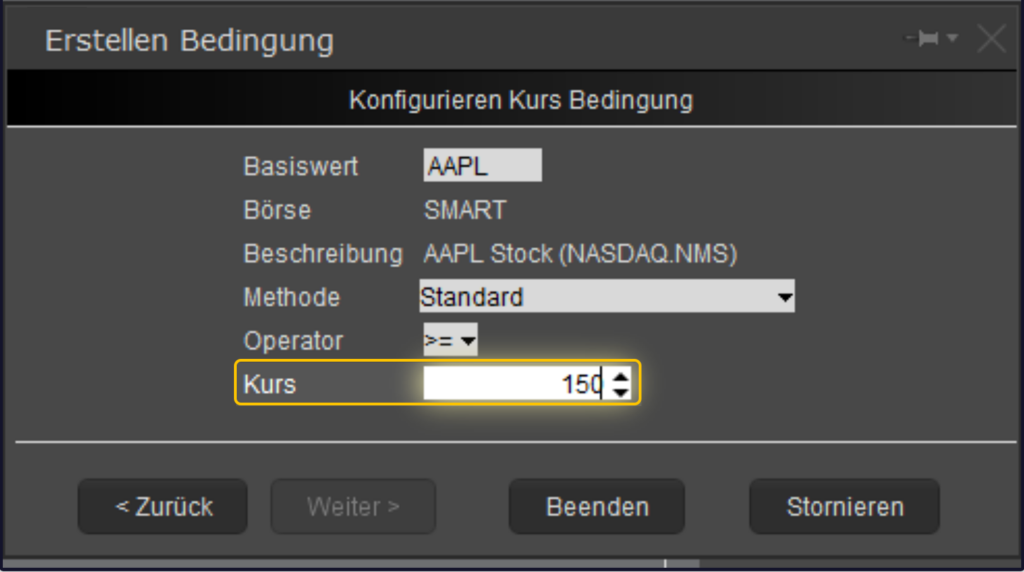
Now we enter the underlying. In our example, we select the Apple share with the TWS abbreviation "AAPL" and then select > Shares (Smart).
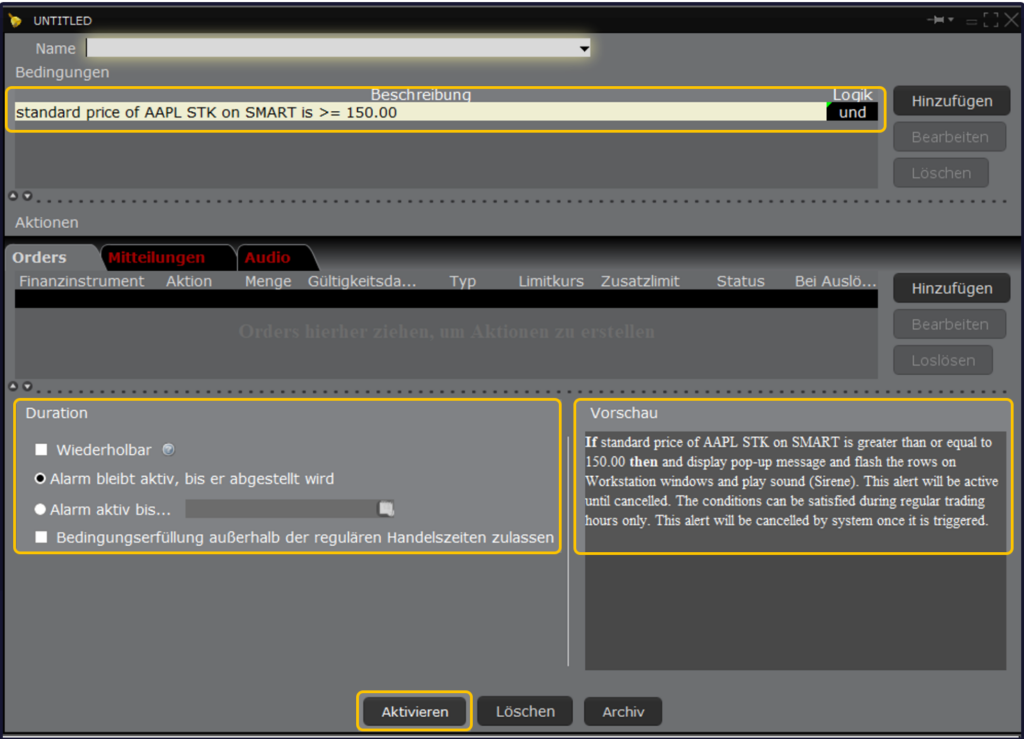
We define the alert by wanting to be notified when Apple's US stock price is greater than or equal to $150.00. For this we select under >METHOD: Standard and under > COURSE: the value of 150.00.
Finally, you will find a preview/summary of your alarm configuration on the right side.
On the left side, you can now adjust the type of notification (alarm) again and thus, for example, deactivate the alarm at a certain time.
By pressing the button > ACTIVATE the alarm is ready for operation.