


After successfully opening a securities account with CapTrader, you would like to transfer a securities account that is currently still held with another broker or bank to CapTrader? You are welcome to transfer your securities account to CapTrader with these instructions. You can find more information on the topic of securities account transfer on our page Deposit transfer.
In principle, also Employee shares, Private equity investments of companies going public and Deposit transfers from Canadian or U.S. banks / brokers be carried out. In these special cases, please write us a short e-mail to the info@captrader.com.
Dialing into the account management (Client Portal)
After dialing into the Account Management (Client Portal) the path >Transfer & Pay > Transfer Positions.

Select type of transaction
Now please select the button > Incoming.

Now, for the transfer method, select the region with the headquarters of your previous broker (usually this is for European banks: All Other Regions) and then at the selected method click the button > Select.

Enter broker information
Now select the previous broker, enter the account number and account title as well as contact information of the previous broker.
If your previous broker is not listed, please contact CapTrader customer support.
Then please provide this information:
- Your account number (Account Number at Broker)
- Your first and last name (account name)
- the Account types (Please choose the same account type!)
- Name, e-mail address and telephone number of the contact person. If this is not applicable, please provide the general information.
Notice: If you do not have a personal contact person at your previous broker, simply enter the main address or the general contact details of the broker.
Now save all your entries by clicking at > Save broker instruction set the controller to > YES make visible.

Add assets
Now please add your assets individually under the item > Add Asset added.

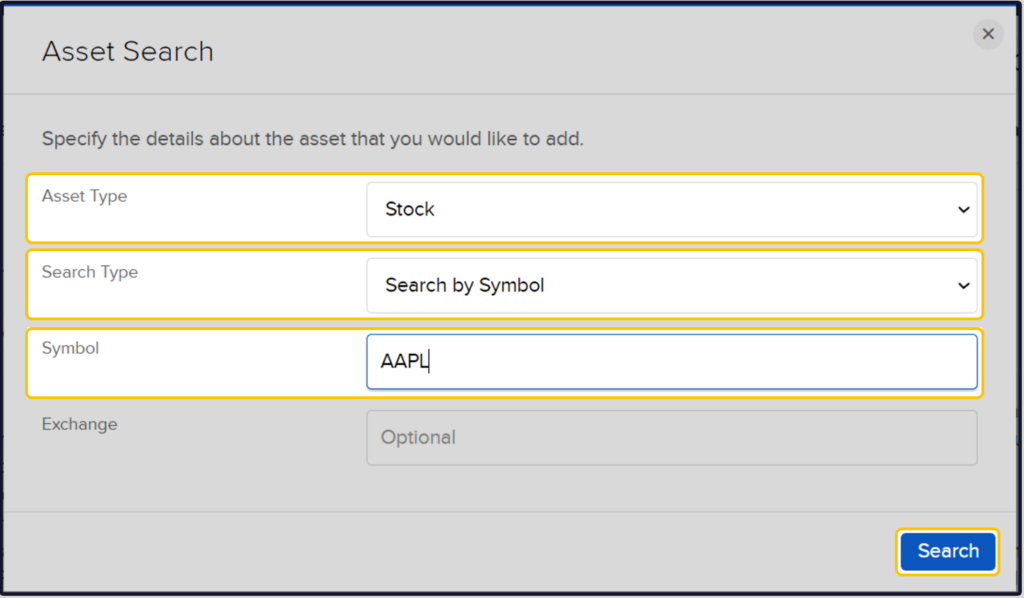
The asset search will then open. You then add the items you wish to transfer there.
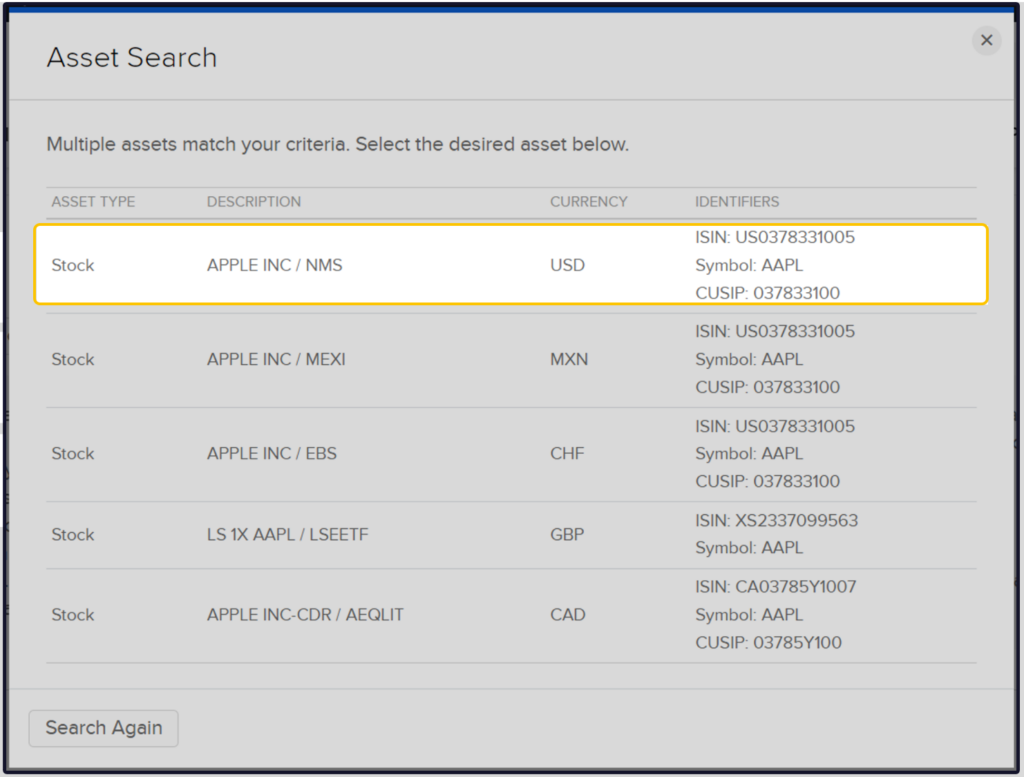
You can select different types of securities here. In our example, we would like to transfer Apple shares purchased in USD on the US home exchange to CapTrader.
Selection of the stock exchange
Since in our example the Apple share is transferred to CapTrader in USD, the corresponding stock exchange (USA) can now be selected.
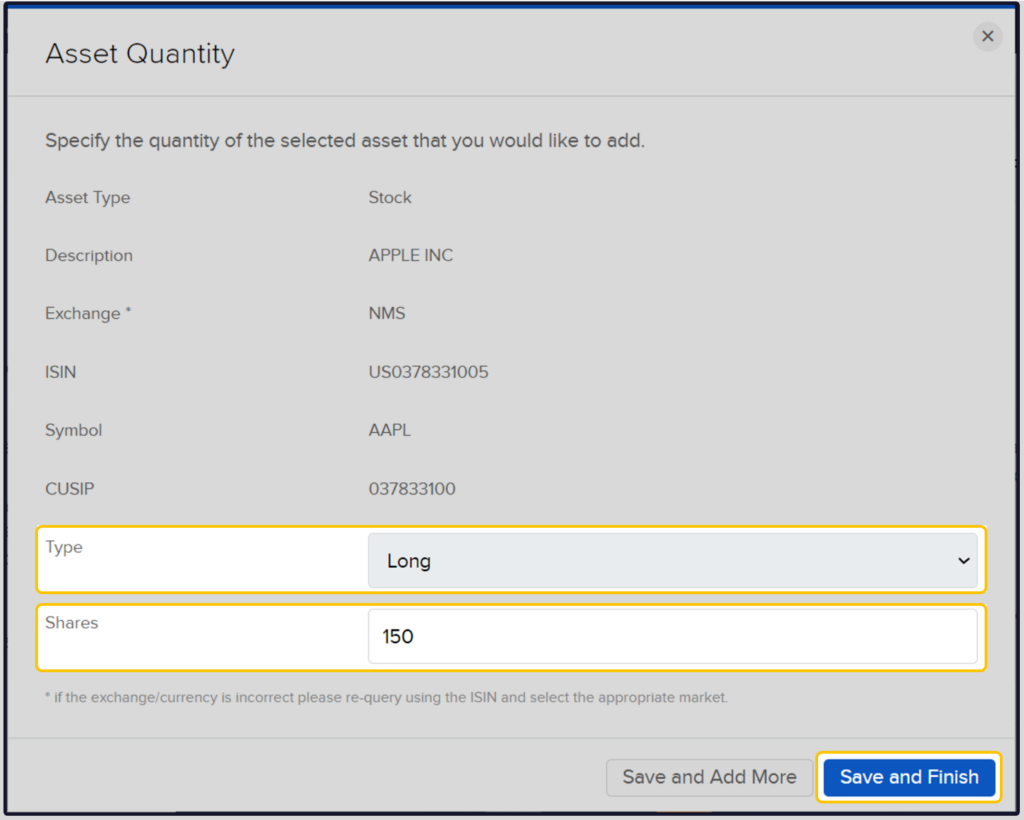
Selection of the number of pieces
In the next step, you now select whether you want to transfer long positions (purchased securities) or short positions (short sold positions) as well as the number of units.
To finish click the button > Save and finish.
Afterwards, you can add more securities to the securities account transfer by clicking the > Add Assets button again.
Once you have entered all securities, please click on the button > Continue.
Summary and final confirmation
Now you will see a summary of your previously made entries. Please confirm this information by entering your virtual signature (typing the displayed name) in the empty field. By clicking on the button > Continue the process is completed at CapTrader.

Important: Please also create an order for the securities account transfer at the sending institution (the selling broker). Without this order, the securities account transfer cannot be executed.
For this purpose, please print out the overview of the securities account transfer, save it as a PDF and send it to your previous broker.
Some institutions use in-house forms for outgoing securities account transfers. We will be happy to assist you in completing these forms. If you have any questions, please feel free to contact us at info@captrader.com.
Video instructions for transferring your custody account to CapTrader
CapTrader customers can find the following in the exclusive customer area CapTrader Plus a short video in which the securities account transfer is shown step by step in the account management.