After successfully opening a securities account, you would like to exchange an (old) e-mail address that is currently still assigned to your securities account for a new one.
It may also be the case with older account openings that the address info@captrader.com is still entered in your account management (Client Portal). The easiest way to change this email address is to enter a short phone call with your CapTrader customer support at our toll-free hotline number 0800-8723370 (international 00800-08723370).
Why is the entry of a current e-mail important?
Checking your email is important as we want to ensure that you have access to the email specified in the application and that any relevant system messages, such as corporate action notices (dividend announcements) or margin warnings, reach you in the future.
Independent change of the e-mail
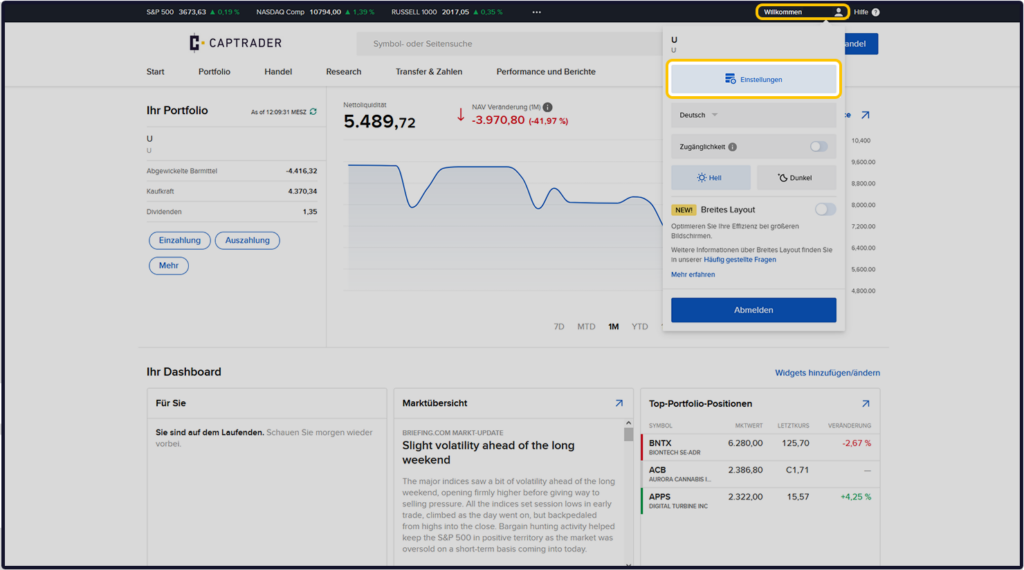
Sign up in the Account Management (Client Portal) and click in the upper right corner on the > User icon and then on > Settings.
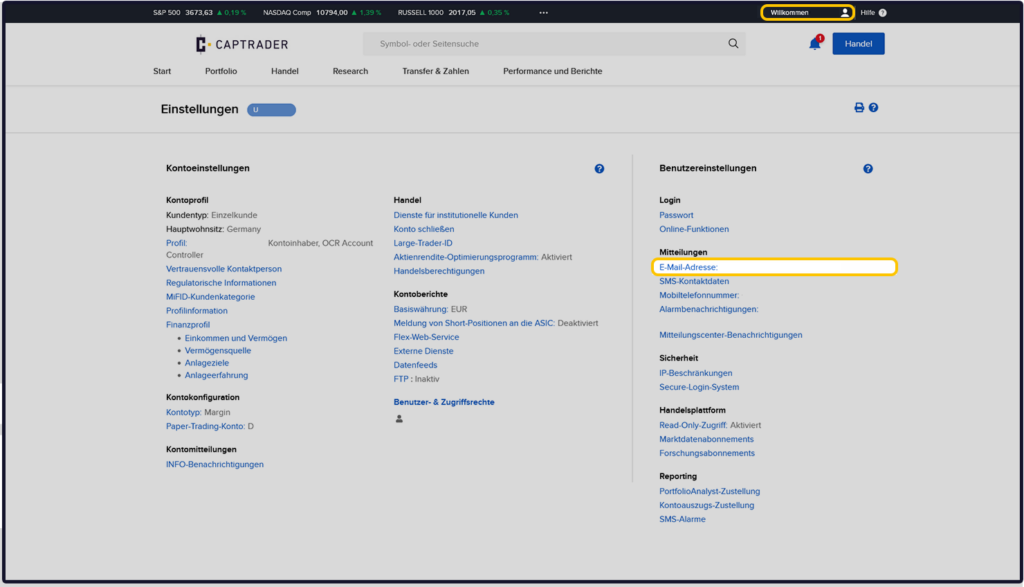
Please check on this page now whether your desired (own) e-mail address is entered in the section > Messages at > E-mail address is correctly deposited.
If the above info@captrader.com email is entered here, please contact us by phone.
If there is an (outdated) private e-mail of yours stored there, please click on the term to change it > E-mail address.
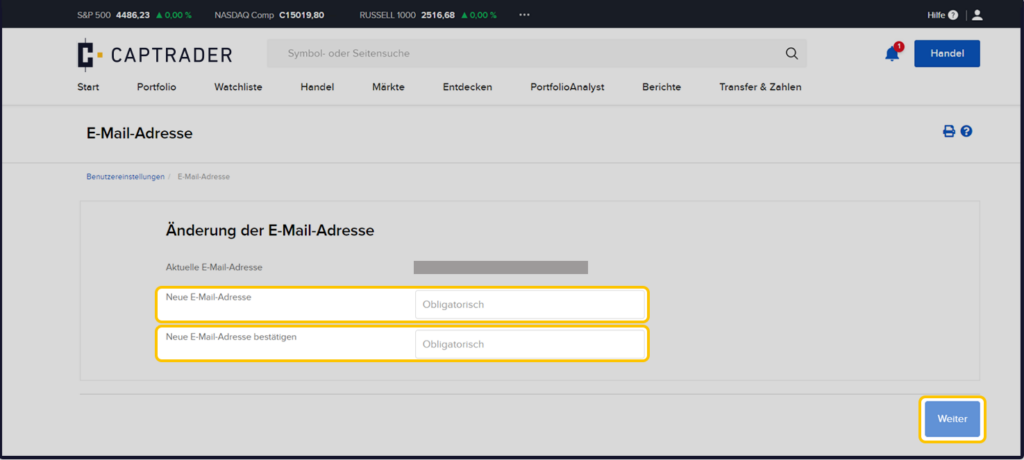
Please enter your Email address now twice in the two fields ("mandatory") on the next page.
Afterwards please click on the > Next Button.
Note: Mandatory means required information. You must fill in these fields to continue.
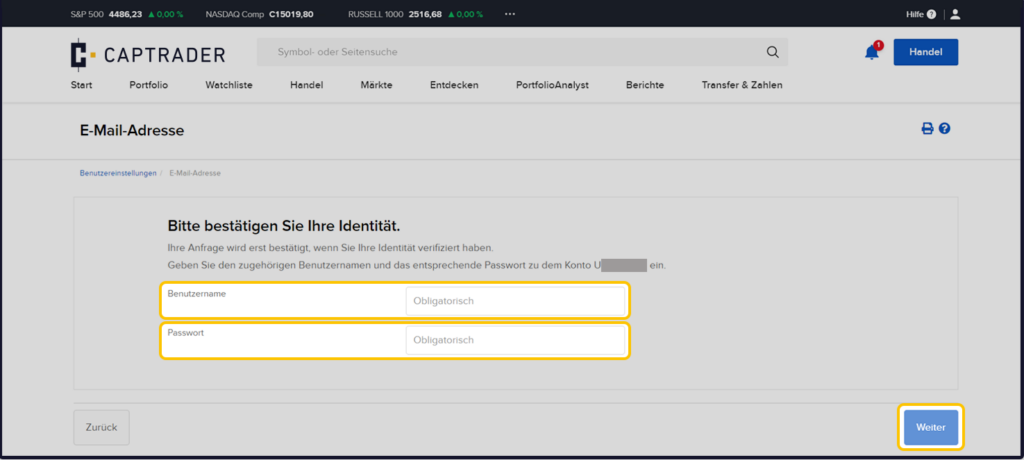
To establish your identity, please now enter your > User names and the > Password in the two fields.
Afterwards please click on the button > More.
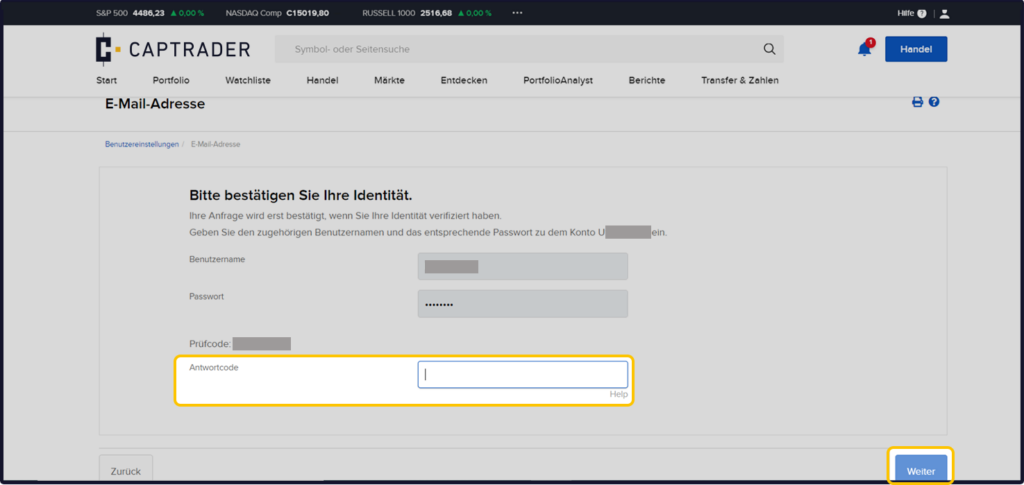
Now you still have to confirm your access data by the Perform two-factor authentication.
Depending on the selected security device, you will receive a push message for your trading app, an SMS or, as in our example, a verification code for which you generate a response code in the app. Now please enter the response code in the field > Response code one.
Note: If you do not yet use two-factor authentication (login only with username + password).
Please verify your phone number first under the item > Mobile phone number on the previous page to increase the security in your account. Then you can verify your mail address.
Important: Without providing a phone number, we can only confirm your email address change by phone. You can then unfortunately not make the change independently, but only with the help of CapTrader support!
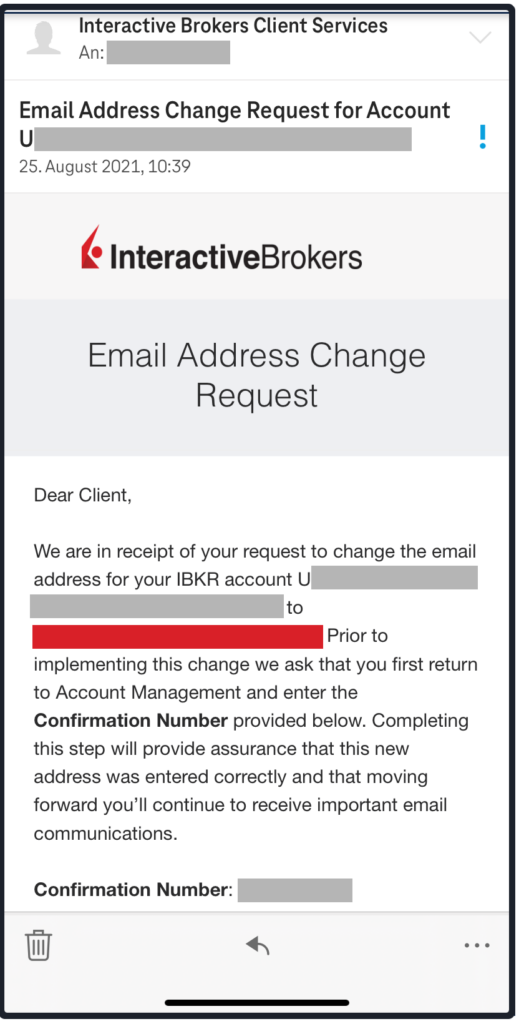
Now confirm your new e-mail address by calling up the inbox of this e-mail address. An e-mail should now have arrived there that contains a five-digit > Confirmation Number (see example image below).
Please enter this number combination in the form field ("mandatory") and then click on the button > More.
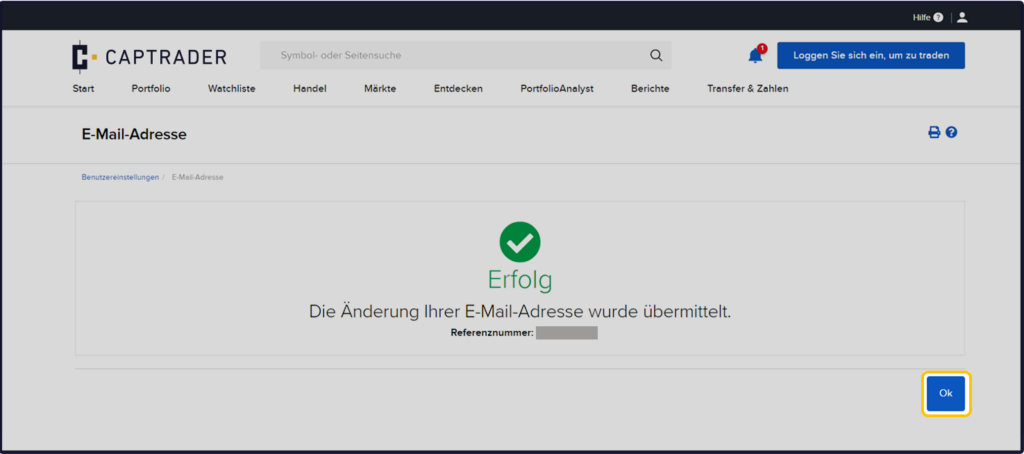
The change of the deposited e-mail address has now been successfully completed and your e-mail has been verified in your securities account at CapTrader.
Now to finish click the button > Ok to finish the process.