


In this article, you will find out which documents you will receive for your private income tax return and how you can update your tax information.
- Tax return: Documents
- Withholding tax and final withholding tax
- Apply for a withholding tax certificate
- Dividend Report
Tax return: Documents
In the Client Portal you have a complete list of your profits and losses as well as all movements in your securities account. To do this, create a Annual deposit statement in the account management. This contains all transactions, profits and losses, fees, dividends and much more. The annual custody account statement therefore includes All tax-relevant datathat you may need for your tax return.
Opening a securities account within the EU: As your securities account is held with Interactive Brokers Ltd. in Ireland, it is not subject to German tax law. A tax certificate in accordance with German tax law will therefore not be issued.
Withholding tax and final withholding tax
With effect from January 1, 2009, an extended tax deduction on investment income (Section 20 EStG) was introduced. This means that investment income in the form of a withholding tax is subject to a tax deduction of 25%. In addition, a solidarity surcharge of 5.5% is levied on the amount of withholding tax. Capital gains are therefore taxed at a flat rate.
While other German online brokers pay the withholding tax for each individual trade directly to the German tax authorities, CapTrader offers you the advantage of not having to settle and pay the withholding tax yourself until December 31 of each year. You can assess your profits and losses yourself as part of your income tax return at the end of the year. Taxation is carried out at a flat rate and not at the higher income tax rate. This means that your accumulated trading profits are fully available for reinvestment throughout the year, which provides additional leverage for your custody account. This is possible because the securities account is managed via CapTrader with our cooperation partner Interactive Brokers (IB) abroad.
A tax of 26.375% is withheld on dividend payments from German stock corporations. This rate is made up of a capital gains tax of 25% and a solidarity surcharge of 5.5% on the capital gains tax.
If the source state has withheld more than the tax rate stipulated in the relevant double taxation agreement, the difference can be reclaimed from the competent tax office in that state.
In the case of dividend payments, the respective clearing houses are obliged to pay the tax directly to the relevant tax office. Therefore, you will not be paid the full dividend amount, as the tax due will be withheld immediately. This allows you to see immediately what amount you have left and you can see this directly in your custody account statement. You can state on your tax return that the dividend payments have already been taxed, with your custody account statement serving as valid proof. In addition, you can apply for withholding tax certificates for withheld capital gains tax on corporate actions or fund distributions.
Apply for a withholding tax certificate
Capital gains tax on Dividend payments are paid directly by the clearing houses. In addition to the dividends received, the withheld taxes can be traced in the annual custody account statement. CapTrader does not calculate or pay capital gains tax.
You can also use chargeable Withholding tax certificates for withheld capital gains tax on corporate actions or fund distributions. Please note that the preparation of a withholding tax certificate is normally associated with a processing time of at least 3 weeks.
The creation of a withholding tax certificate is subject to the following fees per securities position and per document:
- German shares: 30,00 EUR
- Swiss equities: 0,00 CHF
- French shares: 125,00 EUR
The fee will be deducted directly from your custody account balance. You can make the booking in the Custody account statement under the item > Fees understand.
Dividend Report
IBKR prepares an annual dividend report. This is available via the Client Portal available by selecting the menu > Performance & Reports and then > Tax documents under > Reports select. Select the > Dividend report off.
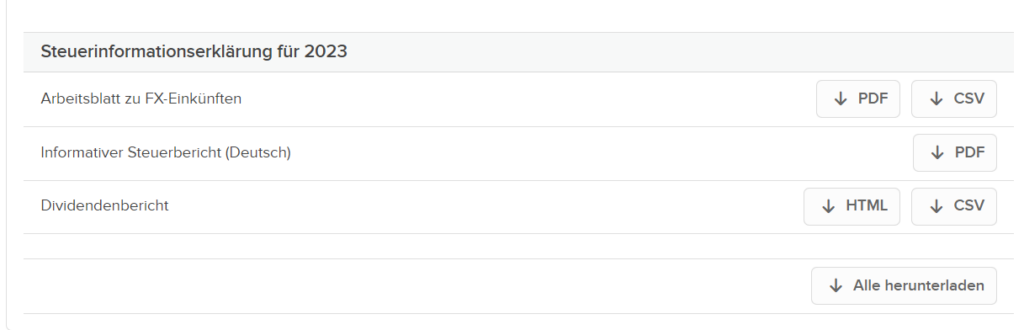
The dividend report shows account details for all dividends and payments in lieu of dividends and the tax withheld on these amounts. In addition, all reported Dividends summarized by income type to facilitate tax reporting at the end of the year. A dividend report is provided for all clients. Dividends are reported in the base currency of the account.