


YOUR CENTRAL FOR THE CAPTRADER DEPOT!
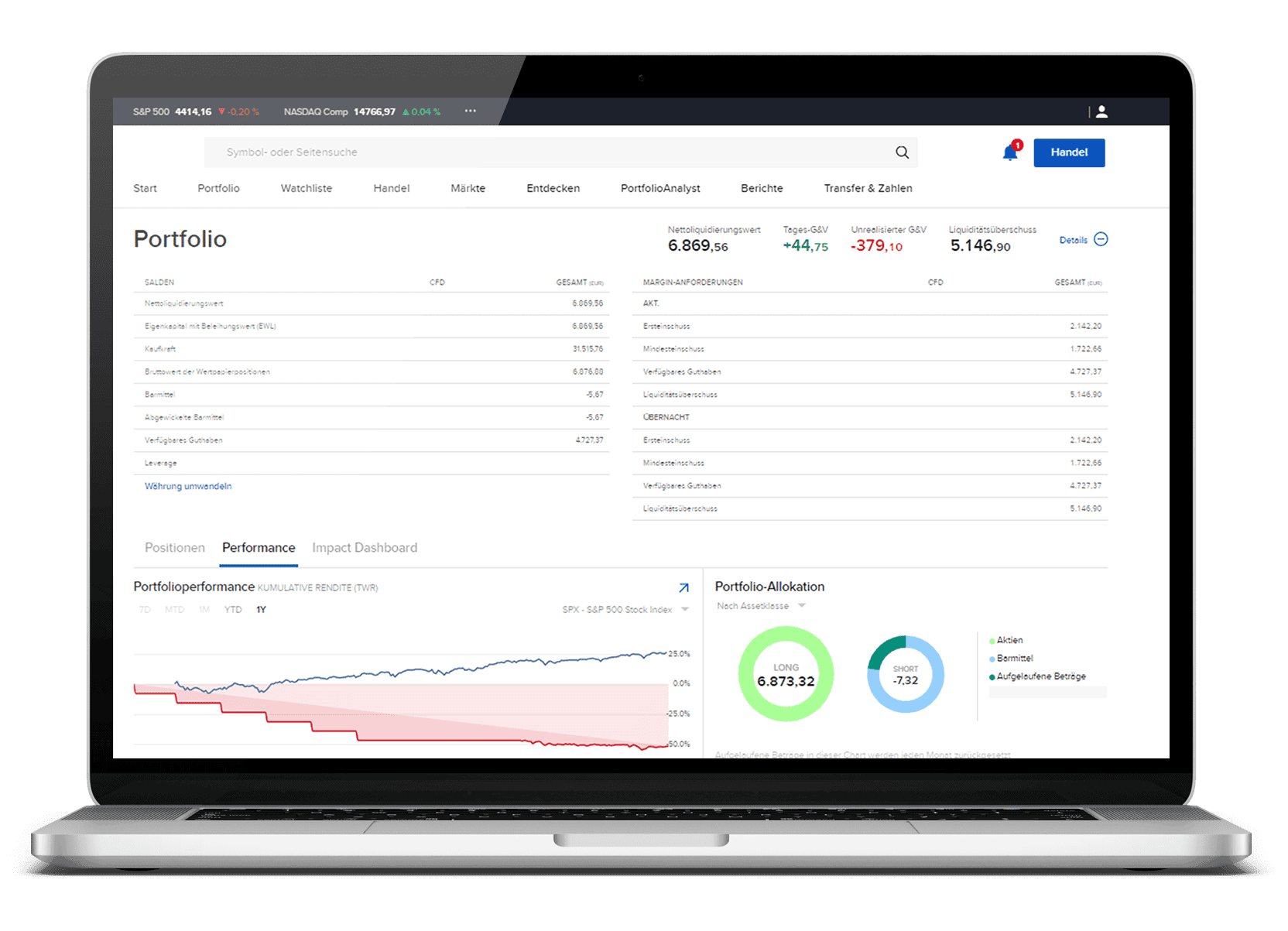
The Client Portal (Client Portal) at CapTrader
Our client portal home page gives you access to all the resources you need to comprehensively monitor and manage your CapTrader portfolio with a single login.
With just one click, you can discover many more features and get more detailed product information - and direct stock market trading is also very easy to implement in our account management.
No download necessary - just use your internet browser!

At a glance
Portfolio Performance

The most important information

Efficiently organized
Access to all resources
Efficient trading
With the fold-out trade ticket in the account management, you can easily place orders, manage open orders and view current transactions.
Notifications and INFOs
You can quickly view your latest messages, notifications and INFOs or contact customer service through the message center.
Tools and services
The Tools menu gives you quick access to all the functions you need to manage your account, such as balance management, reporting, position transfers, and much more.
Customize dashboard
Add your desired categories to your personal dashboard with a single mouse click and display, for example, account statements, news about the stocks you hold or your latest trades, or create a new watch list with interesting securities.
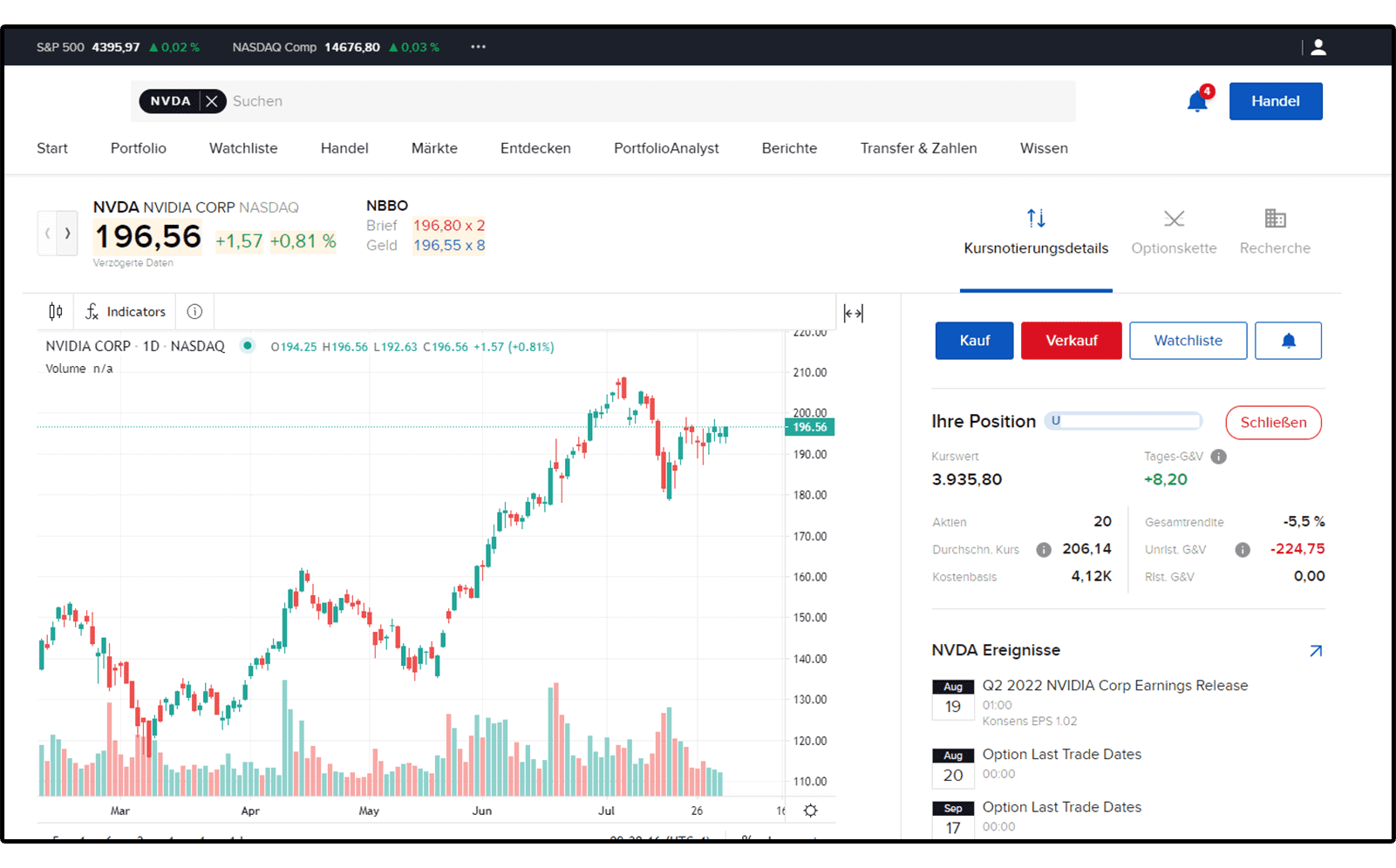
You have your portfolio always in view
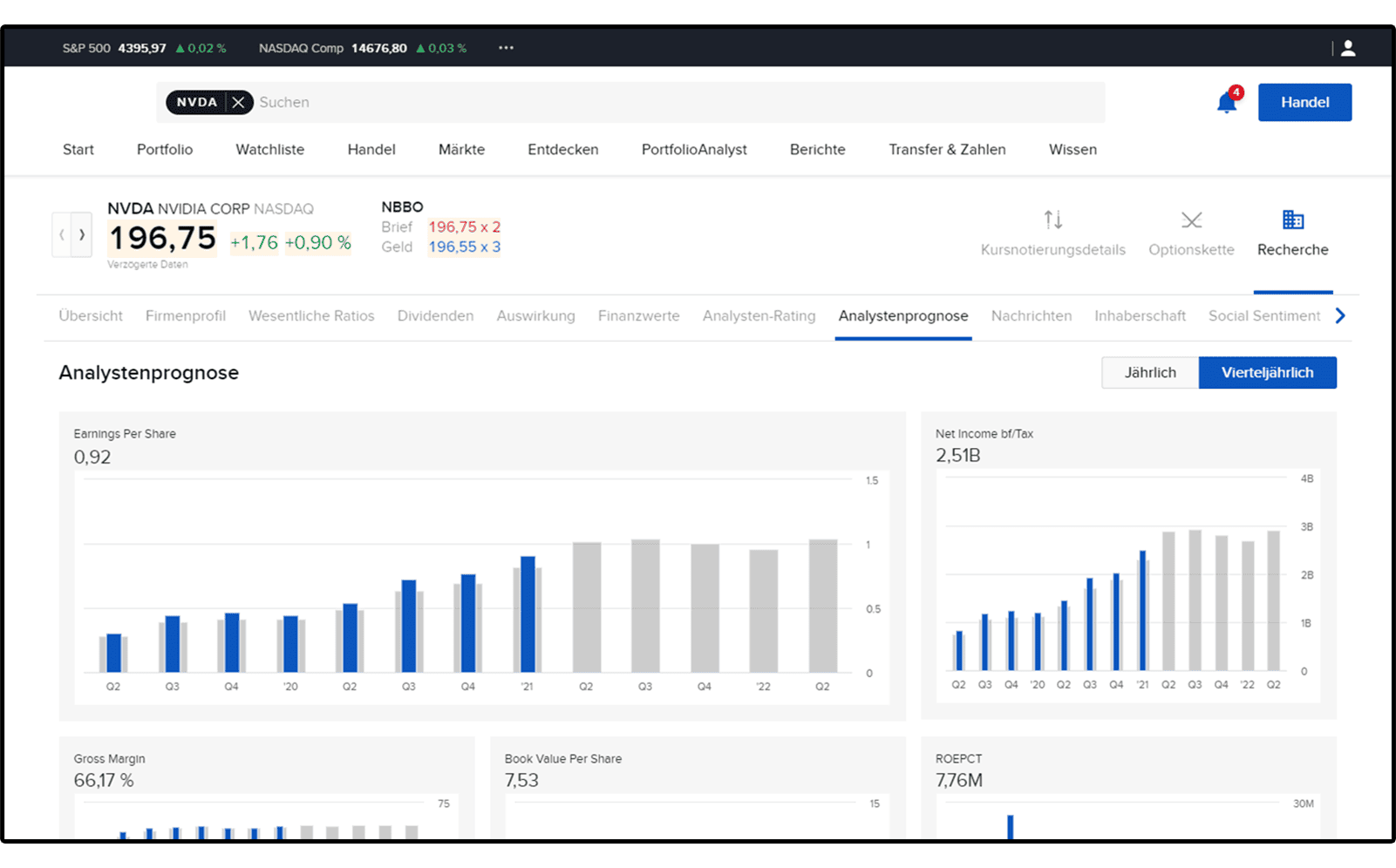
Detailed price quotations
Click on a position for comprehensive product information on the quote details page.
Advanced charting functions
Customize your charts with one click to change the time period, add technical indicators such as SMA, EMA, Bollinger bands and display volume charts.
Important news
Stay up to date on the most important news about a specific product using our live news stream.
ESG scores for responsible investments
Use CapTrader's ESG tools and create your sustainable portfolio by selecting your investments according to your principles. Learn more about the topic here Sustainable investing at CapTrader
Tips for the Client Portal
In the account management of your securities account at CapTrader, you can not only retrieve account statements, extend trading permissions or subscribe to live quotes, but also place orders with a few clicks.
Deposits
To deposit money to your CapTrader account, use our Deposit instructions
Disbursements
To withdraw money from your CapTrader deposit to your current account, use our Payout instructions
Unlock trade permissions
You would like to extend trading authorizations for securities yourself after opening a securities account? Then please use our Guidance on the extension of trade authorizations
Deposit transfer to CapTrader
You want to transfer your securities account from another broker to CapTrader? Then use the function in the account management/client portal using our guidance
Stocks trading in the account management
Trade directly in the account management via the fold-out trade ticket by easily placing orders, managing open orders and viewing current transactions.
Currency exchange in account management
In just a few steps, you can, for example, convert your euro cash holdings (EUR) proportionally into U.S. dollars in order to then use these U.S. dollars to buy U.S. stocks, for example.
Subscribe to market data/live rates
Would you like to subscribe to real-time quotes for your securities account? Then you will receive further information here on the Subscribe to the courses
Create account statement
Create your account statement in a standardized way or individually according to your personal requirements. Learn more in our guidance
Activate Papertrading account
>You want to test new strategies with a play money account first before you start with real money? Then switch on as a CapTrader customer / client the free paper trading account free. Learn how to do this in our guide. Activate Papertrading account.
The IBot understands you
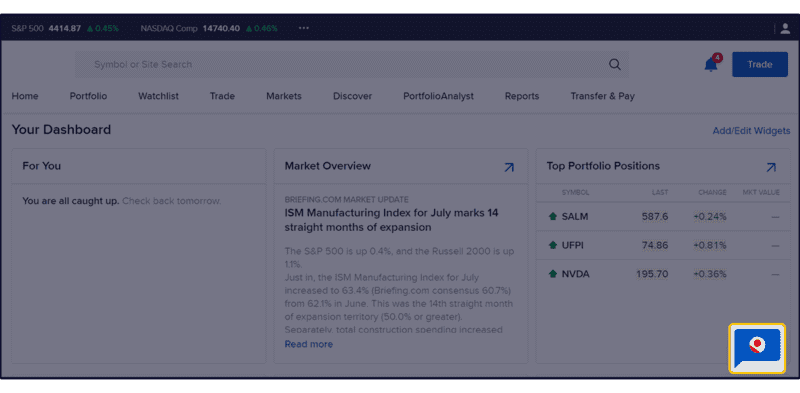
To open the IBot in the Client Portal
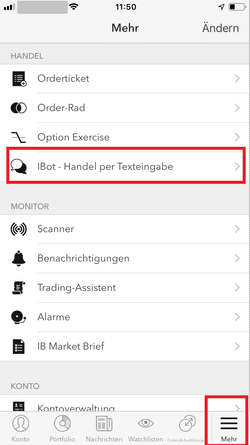
To open the IBot in the IB TWS for iOS

Now Open an account and use the customer portal
Switch to CapTrader now in just a few steps and benefit from our excellent trading platforms, favorable conditions and worldwide trading opportunities.